At its heart, ERP and CRM integration is all about getting two of your most powerful business systems to talk to each other automatically. Think of it as building a bridge that connects your Enterprise Resource Planning (ERP) and Customer Relationship Management (CRM) platforms, letting them share critical data without anyone having to lift a finger. This connection gets rid of manual data entry and creates a single, reliable source of information for both your sales and operations teams.
What Is ERP and CRM Integration Anyway?
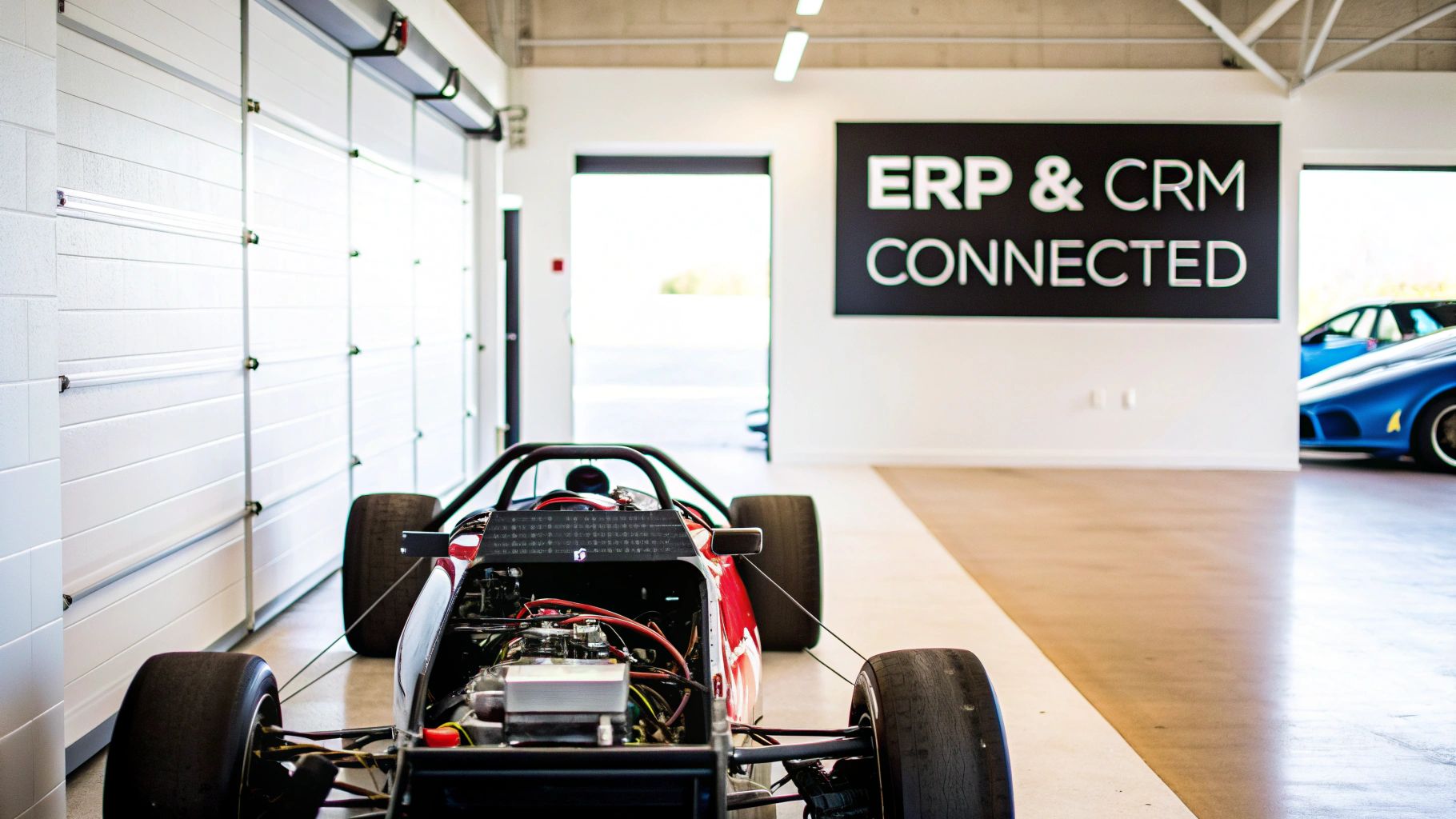
Let's picture your business as a high-performance race car. Your ERP system is the engine—it’s the powerhouse managing all the core back-office functions like finance, inventory, and your supply chain. Meanwhile, your CRM is the cockpit, where your team uses navigation and communication tools to manage customer relationships, steer the sales pipeline, and execute marketing plays.
Trying to run these two systems independently is like having an engine that isn't connected to the steering wheel. You’ve got all this power, but no coordinated way to direct it. ERP and CRM integration is the wiring that connects the engine to the cockpit, creating one intelligent, finely-tuned machine that moves with purpose.
Bridging the Gap Between Sales and Operations
Without that connection, different parts of your business are flying blind. Your sales team, living day-to-day in the CRM, has no idea what’s really happening with inventory levels or whether a customer has a history of late payments. On the other side, your finance and operations teams, buried in the ERP, can't see the sales pipeline to accurately predict future demand.
This disconnect causes friction and expensive mistakes. A salesperson might promise a product that’s actually out of stock, which only leads to angry customers. Finance might waste hours chasing a sales rep for the details on a new order. An integrated system fixes this by turning a one-way street into a two-way data superhighway.
"A successful ERP and CRM integration turns fragmented data into a strategic asset. It empowers every department with a complete, real-time view of the customer lifecycle, from the first contact to the final payment."
A Single Source of Truth
The ultimate goal here is to create a single source of truth. What does that actually mean? It means that when a sales rep updates a customer’s address in the CRM, that change instantly appears in the ERP's billing module. When an order ships from the warehouse (tracked in the ERP), its status immediately updates for the account manager to see in the CRM.
This unified view pays off in a big way across the entire company:
- Sales Teams: Can see a customer’s complete order history, credit status, and shipping updates right from the CRM. No more toggling between systems.
- Finance Teams: Get a clear look at the sales pipeline, which makes revenue forecasting far more accurate.
- Operations and Fulfillment: Can see sales activity as it happens, allowing them to anticipate demand and manage inventory levels better.
- Customer Service: Has all order and billing details at their fingertips, helping them resolve customer issues on the first call.
Companies spend a fortune on these systems. In fact, the global ERP market is expected to hit a spending value of about $147.7 billion in 2025, with millions of businesses relying on them. Integrating your ERP and CRM ensures you get the most out of that massive investment by making the data inside them useful and actionable for everyone. You can dig deeper into these ERP market insights on hginsights.com.
Why Connecting Your Systems Drives Real Growth
Thinking about connecting your ERP and CRM systems? This isn't just a technical task—it's a strategic move that genuinely fuels business growth. When these two platforms operate in their own little worlds, your teams are left working with an incomplete puzzle, leading to missed opportunities and frustrating inefficiencies.
Real, sustainable growth happens when your front-line sales intelligence syncs up perfectly with your back-office operational data. This ERP and CRM integration is what breaks down the walls between departments, creating a single, reliable source of truth that empowers everyone. For the first time, your sales team can see the full story of every customer, not just the tiny sliver they've been involved with.
Achieve a True 360-Degree Customer View
Imagine your salesperson talking to a client. Without an integrated system, they have massive blind spots. They have no idea if the customer has outstanding invoices, if their last order was delayed, or if they're actually a high-volume, profitable account. They're essentially selling in the dark.
An integrated system changes the game completely. Suddenly, crucial ERP data like order history, payment status, and shipping details pop up right inside the CRM.
Here's what that looks like in practice:
- Smarter Conversations: Your account managers can have truly context-rich discussions. Instead of asking generic questions, they can say, "I see your last order for Product X was delivered Tuesday. How is it working out for you?"
- Proactive Problem Solving: A sales rep sees a client has an overdue invoice. They can work with them to resolve it before it sours the relationship, instead of letting it become an issue for the finance team to chase down later.
- Upsell and Cross-Sell Opportunities: Access to a customer's full purchase history lets reps intelligently recommend complementary products or spot when a client is due for a reorder. Simple check-ins suddenly become revenue-generating events.
Streamline Your Entire Quote-to-Cash Process
One of the biggest drags on productivity is the manual, error-prone journey from a sales quote to a final payment. When systems are separate, this involves a mess of emails, spreadsheets, and manual data entry to move information from the CRM over to the ERP. Every single step is a chance for a critical mistake—a wrong part number, an incorrect price.
Integrating your ERP and CRM automates this entire workflow. When a sales rep finalizes a quote in the CRM, it can automatically create a sales order in the ERP, kicking off the fulfillment process without anyone lifting a finger.
This slashes order processing times, practically eliminates errors, and gets products to your customers faster. Not only that, but it improves cash flow. Invoices are generated more quickly and accurately, and payment info flows back into the CRM, giving sales a clear picture of their accounts' financial health.
To make the benefits even clearer, here's a side-by-side comparison of what life looks like with and without integration.
Key Benefits of ERP and CRM Integration
| Benefit Area | Without Integration (Siloed) | With Integration (Unified) |
|---|---|---|
| Customer View | Sales sees only their interactions; service sees only tickets. | Complete 360-degree view of orders, payments, and history. |
| Order Processing | Manual data entry from CRM to ERP; high risk of errors. | Automated workflow from quote to cash; faster fulfillment. |
| Sales Forecasting | Based on optimistic pipeline data alone; often inaccurate. | Combines pipeline data with historical sales for reliable projections. |
| Data Accuracy | Multiple, conflicting versions of customer data exist. | A single, trusted source of truth for all departments. |
| Team Efficiency | Sales and finance waste time chasing information from each other. | Teams are self-sufficient with access to the data they need. |
As you can see, connecting your systems isn't a small tweak—it fundamentally changes how your teams work for the better.
Dramatically Improve Sales Forecasting Accuracy
Forecasting is tough. It’s essential for managing resources and setting realistic targets, but predictions based solely on CRM pipeline data are often just educated guesswork. You're missing the financial reality stored in your ERP.
Integrating the two systems lets you blend that forward-looking pipeline data with hard historical sales data. This powerful combination helps you analyze real buying trends, understand customer lifetime value, and build far more reliable revenue projections. The results are real; companies with integrated platforms often report up to a 20% improvement in forecasting accuracy and a 15% reduction in operational costs. You can read more about these ERP and CRM benefits at Solsyst.
Gaining this level of insight is a cornerstone of effective revenue operations and is crucial for building a predictable sales engine. You can explore more strategies in our complete guide to B2B pipeline management.
Understanding Your Integration Options
Connecting your ERP and CRM systems isn't a one-size-fits-all job. There are a few different ways to build that bridge, and each has its own pros and cons. Getting a handle on these options will help you have a much better conversation with your tech team and pick the right approach for your business.
Think of it like choosing how to get between two cities. You could build a direct, private highway, or you could use a central airport that connects to everywhere. Both get you there, but they work in very different ways.
Direct Connections vs. a Central Hub
One popular route is a point-to-point integration. This is like building that private highway—a direct, custom-coded link between your ERP and your CRM. It's built just for those two systems and works great when your data-sharing needs are simple and direct.
The trouble starts when your business grows. What happens when you add a marketing automation tool or an e-commerce platform? You’d have to build a new “private highway” for every single connection. Before you know it, you’re left with a tangled mess of brittle connections that are a nightmare to maintain.
The other way to go is using an Integration Platform as a Service (iPaaS). This is your central airport. An iPaaS acts as a middleman, a central hub that uses pre-built connectors to link your ERP, CRM, and all your other apps. Instead of connecting everything to everything else, you just connect each system to the hub. It's far more scalable and way easier to manage as your tech stack grows.
The Role of APIs in Integration
So, how do these systems actually talk to each other? The secret sauce behind any modern ERP and CRM integration is the Application Programming Interface, or API. Don't let the acronym scare you; the concept is pretty straightforward.
An API is like a waiter at a restaurant. Your CRM (the diner) needs to know a customer's order history. It gives its request to the API (the waiter), who takes it to the ERP (the kitchen). The ERP finds the data (prepares the dish), and the API brings it right back to the CRM.
This all happens in a flash, allowing different software to securely ask for and share data using a common language. The beauty of the API is that it lets systems communicate without needing to understand each other's complex internal code, just like you don't need to know how the kitchen works to order dinner.
This diagram shows how an API sits in the middle, handling requests and responses between different apps.
The main takeaway is that APIs provide a structured, reliable way for your tools to interact, which is the foundation of any solid integration.
Real-Time vs. Batch Synchronization
Another big decision is how often the data should sync. The right answer really depends on what kind of data it is and how your team needs to use it.
-
Real-Time Sync: This is instantaneous. A change in one system immediately shows up in the other. It's a must-have for time-sensitive information. For example, a sales rep checking inventory levels before closing a deal needs that data right now to avoid selling something you don't have.
-
Batch Sync: This runs on a set schedule—maybe every hour, or once at the end of the day. It bundles up all the changes from a certain period and pushes them across in one go. This works perfectly for less urgent data, like syncing new accounts for daily financial reports, and it's generally less demanding on your systems.
Figuring out whether to use real-time or batch syncs for different types of data is a crucial step in designing an integration that’s both effective and efficient. It's just as important as ensuring your other tools work together seamlessly; for instance, our guide to CRM and VoIP integration dives into how connecting your phone system is key for logging sales calls accurately.
Which Data Should You Actually Synchronize
A smart ERP and CRM integration isn’t about syncing every single piece of data you have. That’s a recipe for chaos. The real goal is to sync the right data to solve actual business problems and make life easier for your sales, finance, and operations teams. Think of it as building a superhighway for crucial information, not just a tangled mess of backroads.
Connecting the dots from the first sales quote to the final paid invoice needs a clear plan. Without one, you'll end up with duplicate records, conflicting information, and a lot of frustrated people. The trick is to decide which system is the "source of truth" for each type of data and which way that information needs to flow.
Core Customer and Product Data
The absolute foundation of your integration is making sure both systems agree on who your customers are and what you’re selling. It sounds simple, but getting this right is non-negotiable.
-
Customer Accounts and Contacts: This needs to be a bi-directional sync—a two-way street. When a sales rep adds a new company in the CRM, that should instantly create a customer record in the ERP. Likewise, if finance updates a billing address in the ERP, that new info has to flow back to the CRM so the sales team isn't using outdated details.
-
Product Catalog and Pricing: This is a one-way sync, from the ERP to the CRM. Your ERP is the master list for all product SKUs, descriptions, and pricing. By pushing this information into your CRM, you guarantee every quote your sales team builds is accurate. No more embarrassing—and costly—pricing mistakes.
A well-planned sync solves the dreaded "swivel chair" problem, where your team is constantly flipping between screens, copying and pasting data. This doesn't just save a ton of time; it dramatically cuts down on the human errors that lead to wrong orders and unhappy customers.
The diagram below shows a common way data objects move between a CRM and an ERP, using an API as the central connector.
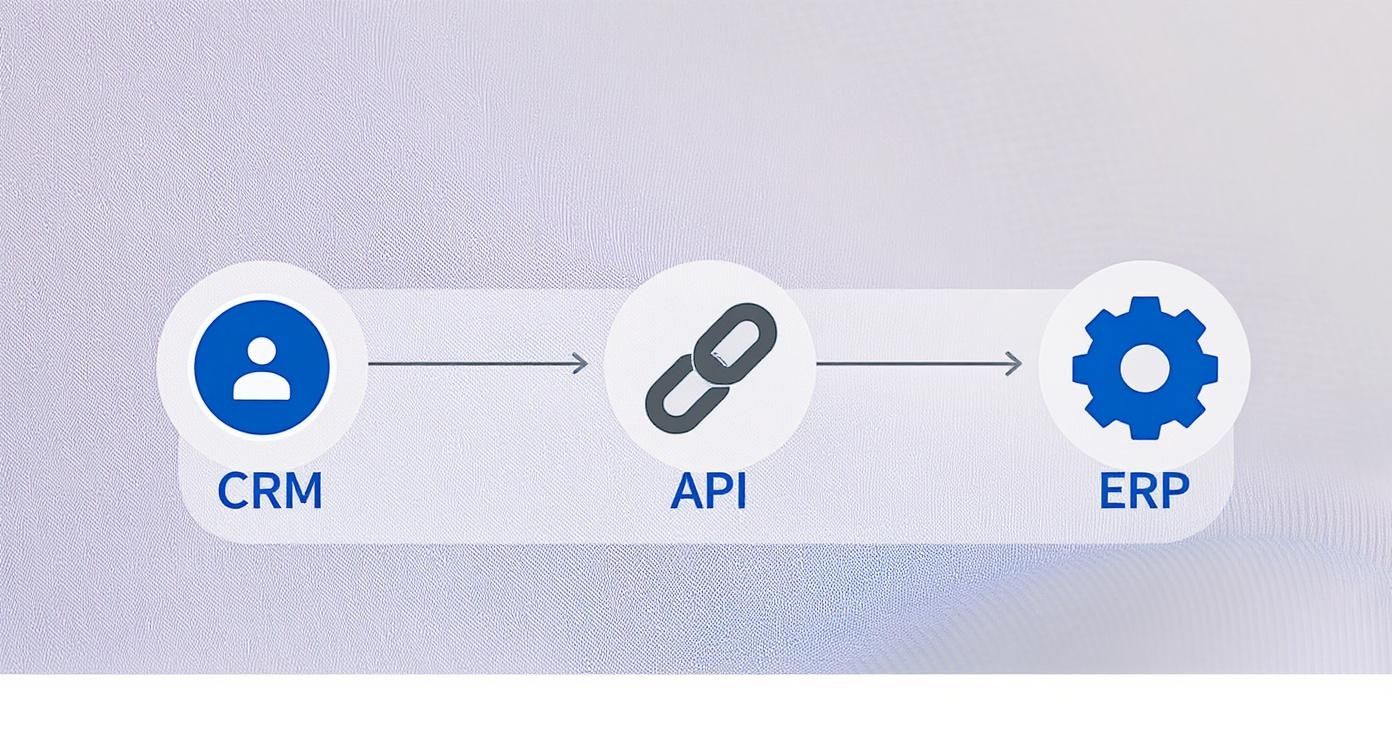
This visual really breaks down how an API acts as the bridge, making sure critical sales and operational info moves between the two systems without a hitch.
Mapping the Quote-to-Cash Lifecycle
Beyond the basics, the real magic happens when you automate the entire sales cycle. We call this the quote-to-cash process, and it’s all about creating a smooth series of data handoffs, from the sales team in the CRM to the finance and fulfillment folks working in the ERP.
This is where B2B companies see massive improvements in efficiency. You’re turning a clunky, manual process into a slick, automated pipeline that gets you paid faster and improves cash flow.
To give you a clearer picture, here’s a quick overview of the essential data to sync for a B2B sales motion.
B2B Sales Data Synchronization Flow
| Data Object | Primary Sync Direction | Business Purpose |
|---|---|---|
| Accounts & Contacts | Bi-directional (CRM ↔ ERP) | Ensures both sales and finance have a single, consistent view of the customer. |
| Product Catalog | One-way (ERP → CRM) | Guarantees sales reps use accurate product info and pricing when creating quotes. |
| Quotes | One-way (CRM → ERP) | Converts an approved quote into a sales order in the ERP without manual re-entry. |
| Inventory Levels | One-way (ERP → CRM) | Gives sales reps real-time visibility into stock levels so they don’t sell what you don’t have. |
| Sales Orders | One-way (CRM → ERP) | Officially kicks off the fulfillment and invoicing process in the financial system. |
| Invoices | One-way (ERP → CRM) | Provides sales reps with visibility into billing status and invoice details for their accounts. |
| Payment Status | One-way (ERP → CRM) | Lets the sales team know when an invoice is paid, completing the 360-degree customer view. |
By syncing these specific data points, you’re giving your sales team a complete view of the entire customer journey. They can answer questions about order status or payment history on the spot, without ever having to log into the ERP. That kind of immediate, informed service is what creates a fantastic customer experience.
Your Step-by-Step Implementation Plan

Jumping into an ERP and CRM integration without a clear plan is a lot like trying to assemble complex furniture without the instructions. You might end up with something, but it probably won't be what you had in mind. A solid, step-by-step plan is the only way to keep the project on track, on budget, and actually delivering the value you expect.
This isn't just a technical to-do list. Think of it as a strategic guide that brings people together from all corners of your company. Every stage, from defining your goals to planning for long-term upkeep, is crucial for turning a good idea into a powerful business tool. Let's walk through the essential phases of a successful integration.
Phase 1: Pre-Launch Preparation
Before you write a single line of code or connect any apps, you have to build a strong foundation. In my experience, skipping the prep work is the number one reason these projects go off the rails. This is where you get everyone aligned, clean up your data, and agree on what "done" really looks like.
First, define your business goals. Be specific. What exactly are you trying to fix? Is it to cut order processing time by 30%? Or maybe you want to improve sales forecasting accuracy and kill data entry errors for good. Whatever they are, your goals need to be measurable and get a thumbs-up from everyone involved.
Next, you need to assemble your team. This can't just be an IT project. You need a group with people who actually live and breathe these processes every day.
- Sales Lead: To be the voice for the CRM users.
- Finance/Operations Lead: To give the ERP perspective on getting orders out the door and sending invoices.
- IT/Technical Lead: To handle the nuts and bolts of the technology.
- Project Manager: To be the cat-herder who keeps everything moving forward.
Finally, you absolutely must conduct a thorough data audit. Trying to integrate messy, outdated, or duplicate data is just asking for trouble. It's shocking, but some studies show that a staggering 91% of CRM data is incomplete. Cleaning it up beforehand isn't optional. This means standardizing your formats, getting rid of duplicates, and archiving old records before you sync a single thing.
Phase 2: Core Implementation and Mapping
With your goals set and your data sparkling clean, you can finally get into the technical build. This is where you pick your tools, map out your data fields, and set up the automated workflows that will tie your systems together. Attention to detail here is everything—it’s what ensures information flows correctly between your ERP and CRM.
Your first big decision is choosing an integration method. Are you going with a pre-built connector, a flexible middleware platform (often called an iPaaS), or a fully custom build? The right answer depends on your budget, your team's skills, and how complex your needs are. For most small to medium-sized businesses, an iPaaS hits the sweet spot between power and ease of use. You may also find that a standard solution just won't cut it, which is where you might explore customized CRM software.
The real heart of the implementation is data mapping. This is simply the process of telling the systems which field in the CRM lines up with which field in the ERP. For example, you’ll map the "Company Name" field in your CRM to the "Customer Name" field in your ERP so they always match.
Once your fields are mapped, you'll configure the business rules. This means deciding if data flows one way or both ways, and how often it syncs—in real-time or in batches.
Phase 3: Post-Launch Testing and Training
Getting the integration live isn't the finish line. This last phase is what makes or breaks user adoption and long-term success. Too many companies rush this part, only to discover their shiny new system isn't being used correctly, or worse, isn't being used at all.
Start with user acceptance testing (UAT). Get your sales and finance teams into a test environment and have them run through the entire quote-to-cash process. Can they create a quote that properly triggers a sales order? Does a payment logged in the ERP show up correctly in the CRM? This is your chance to squash bugs before they affect real customers.
Next, it's all about training. The CRM market is booming—it's projected to hit over $112 billion by 2025, largely because companies are trying to deliver better customer experiences. A slick integration helps you do that, but only if your team knows how to use it. Put together clear instructions and hold training sessions that walk people through the new, easier workflows.
Finally, create a plan for ongoing monitoring and maintenance. An integration is not a "set it and forget it" project. You'll need to keep an eye out for API errors, manage updates to both systems, and tweak the integration as your business changes over time.
Common ERP and CRM Integration Questions
Thinking about connecting your ERP and CRM is a big step, and it’s smart to have questions. Business leaders always want to know what this kind of project really looks like on the ground. Let's walk through some of the most common questions we hear about timelines, risks, and finding the right help.
This isn't just about plugging in software. It's a strategic move that needs a clear-eyed approach from day one.
How Long Does an Integration Project Take?
The first question is always, "How long will this take?" And the honest answer is: it depends. There’s no magic number because the scope can range from simple to incredibly complex based on what you need to accomplish.
For a relatively straightforward project, like using a pre-built connector between two popular cloud systems, you might be looking at 4 to 8 weeks. This timeline is realistic when your data is clean and your business processes don't need a major overhaul.
On the other hand, a custom integration is a much bigger beast. These projects often involve deep data cleanups, mapping out complex business logic, and building new workflows from the ground up. In these cases, you should expect a timeline anywhere from 3 to 9 months, and sometimes even longer.
A few things will always impact your timeline:
- Your Data Quality: If your current data is a mess of duplicates and errors, a lot of time will go into cleaning it up before you can even think about connecting systems.
- Your Business Complexity: The more custom rules, exceptions, and unique workflows you have, the longer it will take to build them into the integration.
- Your Team's Availability: An integration needs time and attention from your sales, finance, and IT people. If they're swamped, the project will slow down.
What Are the Different Integration Types?
Not all integrations are created equal. Knowing the basic approaches helps you pick the right one for your budget, technical resources, and future plans. Each type strikes a different balance between flexibility, cost, and the effort required to keep it running.
Here’s a quick rundown of the three main ways to get this done:
- Native Integration: This is a ready-made connection built by the ERP or CRM vendor. It’s usually reliable and easy to flip on, but you’re stuck with how it works—customization is often limited or nonexistent.
- Third-Party Integration (iPaaS): This uses a middleware platform (often called an Integration Platform as a Service, or iPaaS) that acts as a bridge. These tools have pre-built connectors to hundreds of apps, giving you a ton of flexibility without starting from scratch.
- Custom Integration: This means hiring developers to build a unique connection using APIs. You get total control, but it's easily the most expensive and complicated route to build and maintain over time.
For most growing businesses, a third-party iPaaS solution is the sweet spot. It gives you the stability of a pre-built connector but with enough flexibility to adapt as you add more software, all without the price tag of a fully custom job.
What Are the Biggest Risks to Avoid?
Getting this right can be a game-changer, but a few common missteps can easily sink the project. Knowing the pitfalls ahead of time is the best defense.
Interestingly, the biggest risks are rarely about the technology itself. They almost always come down to poor planning, bad communication, and weak data governance.
Here are the top five landmines to look out for:
- Fuzzy Goals: Kicking off a project without a crystal-clear business problem to solve is the fastest way to get nowhere.
- Integrating "Dirty" Data: Pushing messy, duplicate, or old data from one system to another just creates a bigger, more expensive mess. It's the classic "garbage in, garbage out" problem.
- Poor Teamwork: When sales, finance, and IT aren't on the same page, you end up with a system that doesn't really work for anyone.
- Scope Creep: Letting "nice-to-have" features pile up during the project will blow your budget and timeline out of the water.
- No Plan for Tomorrow: Thinking the work is over once the integration goes live is a huge mistake. These connections need to be monitored and maintained to keep working properly.
How Do We Choose the Right Partner?
Unless you have a team of integration specialists on staff, you’re going to need a partner to help design and build this. Frankly, choosing the right one is probably the single most important decision you'll make.
Look for a partner who has hands-on experience integrating the exact ERP and CRM systems you use. Ask for case studies and talk to their past clients—especially ones in your industry and of a similar size. A great partner won't just be a coder waiting for instructions; they'll be a strategic guide who helps you make the right decisions along the way.