Think of CRM order management as the bridge connecting what your sales team promises to what your operations team actually delivers. It’s a system that weaves customer information directly into the order process, creating one seamless path from the initial quote all the way to the final delivery.
This integration gets rid of the frustrating communication gaps and manual mistakes that pop up when sales and fulfillment are working in different worlds with different tools. It's all about making sure the promises made at the sales desk can be kept in the warehouse.
Bridging the Gap Between Sales Promises and Operational Reality
Picture your B2B sales team as the front-of-house staff in a high-end restaurant. They’re taking complex, custom orders, promising clients specific products, special pricing, and tight delivery windows. At the same time, your operations team is the kitchen crew, tasked with getting that order exactly right. If there's no central system connecting the two, you can imagine the chaos that would follow.
That's the fundamental problem CRM order management is built to solve. In too many companies, sales and operations are stuck in their own silos. Sales reps live inside the CRM, nurturing relationships and closing deals. But once the ink is dry, the order details get tossed over the wall—maybe in an email or a spreadsheet—to the operations folks using completely different systems for inventory, shipping, and fulfillment.
The Cost of Disconnected Systems
This disconnect is a breeding ground for expensive mistakes. When someone has to manually re-type order details, shipping addresses, or pricing, errors are bound to happen. These aren't just typos; they’re mistakes that hurt customer satisfaction and your bottom line.
Worse yet, sales reps flying blind without real-time inventory data might sell products that are out of stock. Nothing sours a new client relationship faster than an unexpected backorder.
On the other side, the fulfillment team often gets just an order number, with no context about the customer behind it. They can't see that this order is for a top-tier client who needs extra attention. This fragmented view makes it impossible to prioritize intelligently or deliver the kind of personalized service that keeps B2B customers coming back. The whole process becomes clunky and reactive, with teams spending more time putting out fires than getting ahead.
A CRM with integrated order management acts as the central nervous system for your business, ensuring that every department—from sales and support to finance and fulfillment—operates from a single source of truth.
Adopting this unified approach fundamentally changes your entire quote-to-cash cycle. It takes you beyond basic contact management and creates an efficient, transparent, and nearly error-proof journey for every single order. It's not just about pushing orders through faster; it's about consistently delivering on your brand's promise and building the kind of customer loyalty that fuels real growth.
See How a CRM Maps Your B2B Sales Workflow
To really get a feel for what CRM order management can do, let's walk through a typical B2B sale. We’ll look at the old way of doing things versus the new, streamlined approach. Imagine a mid-sized manufacturer that used to juggle spreadsheets and emails to keep track of everything.
Before, a sales rep would close a deal and then have to manually email the order over to the operations team. That email could easily get lost in a crowded inbox or be missing critical details, like a special discount or the right delivery address. The ops team would then have to re-type all that info into their own inventory and shipping systems, creating plenty of opportunities for mistakes. Meanwhile, the sales rep is completely in the dark about the order’s status, forced to constantly follow up for updates instead of focusing on their next sale.
Now, let's see how this all changes with a CRM in the picture.
From Quote to Cash in One Smooth Flow
The entire sales process now lives inside the CRM. A rep builds a quote using pre-made templates that pull the correct pricing and product details right from the system. As soon as the client gives the green light, the rep converts that quote into a sales order with just one click. No more tedious data entry.
That single click kicks off an entire automated workflow:
- The system instantly checks and reserves the inventory, so you never sell something you don't have.
- An alert with all order details, customer history, and shipping notes goes straight to the fulfillment team.
- The finance department gets an automatic notification to get the invoice ready.
This image really captures the switch from a messy, disconnected process to a single, efficient hub managed by the CRM.
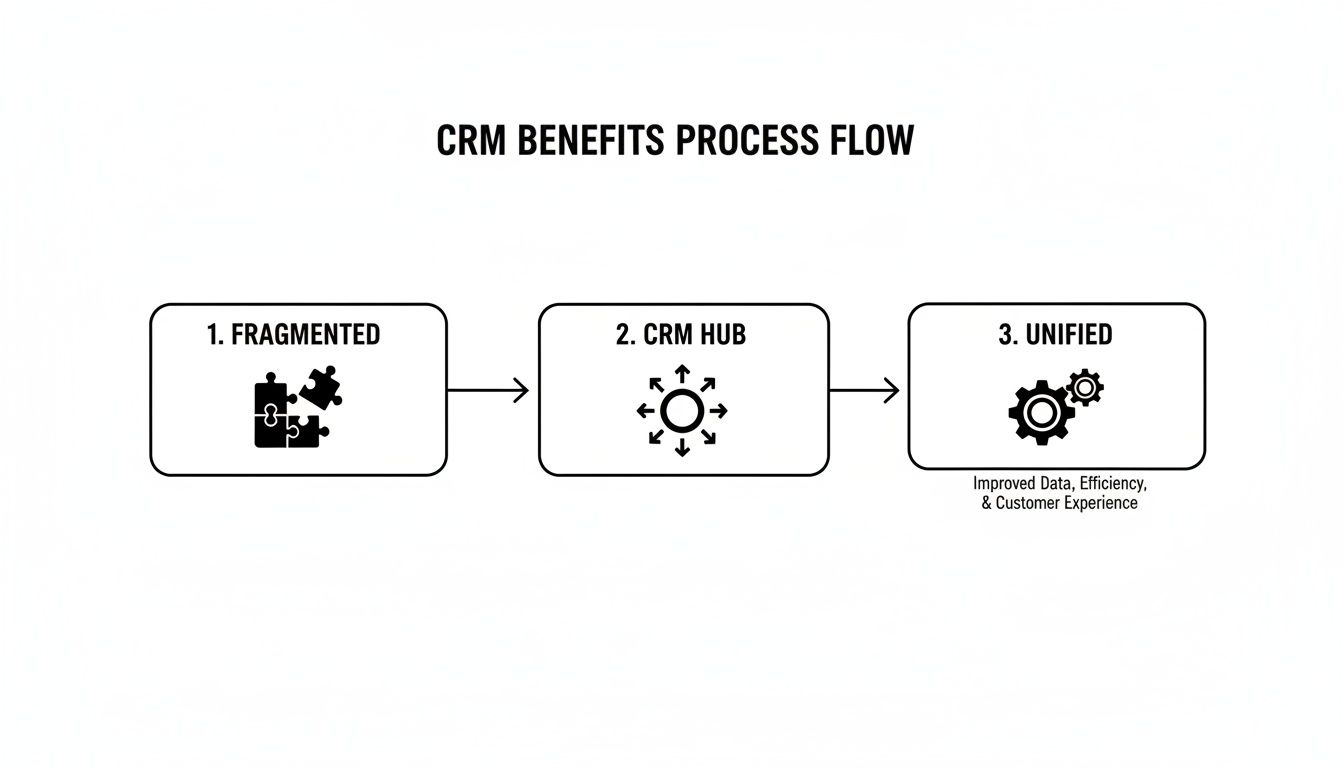
It’s all about turning a bunch of separate pieces into one well-oiled machine.
Gaining Total Visibility and Control
When everything is connected, everyone is on the same page. The sales rep can see exactly where an order is—from the warehouse floor to final shipment—all from their CRM dashboard. This lets them give customers proactive updates and manage expectations, which builds a ton of trust. This kind of visibility is a cornerstone of smart pipeline management. You can learn more about this in our ultimate guide to B2B pipeline management for growing SMEs.
A connected CRM order management workflow gets rid of that "black hole" where orders used to vanish between sales and fulfillment. It swaps manual handoffs for automated actions, guaranteeing speed, accuracy, and transparency from start to finish.
The numbers show that more and more businesses are catching on. The global Sales and Order Management (SOM) market, which is closely tied to CRM, was valued at around $10 billion in 2022. It's expected to more than double to an estimated $25 billion by 2028. This incredible growth makes it clear just how valuable integrating sales and order processes really is.
Must-Have Features of an Effective CRM Order Management System
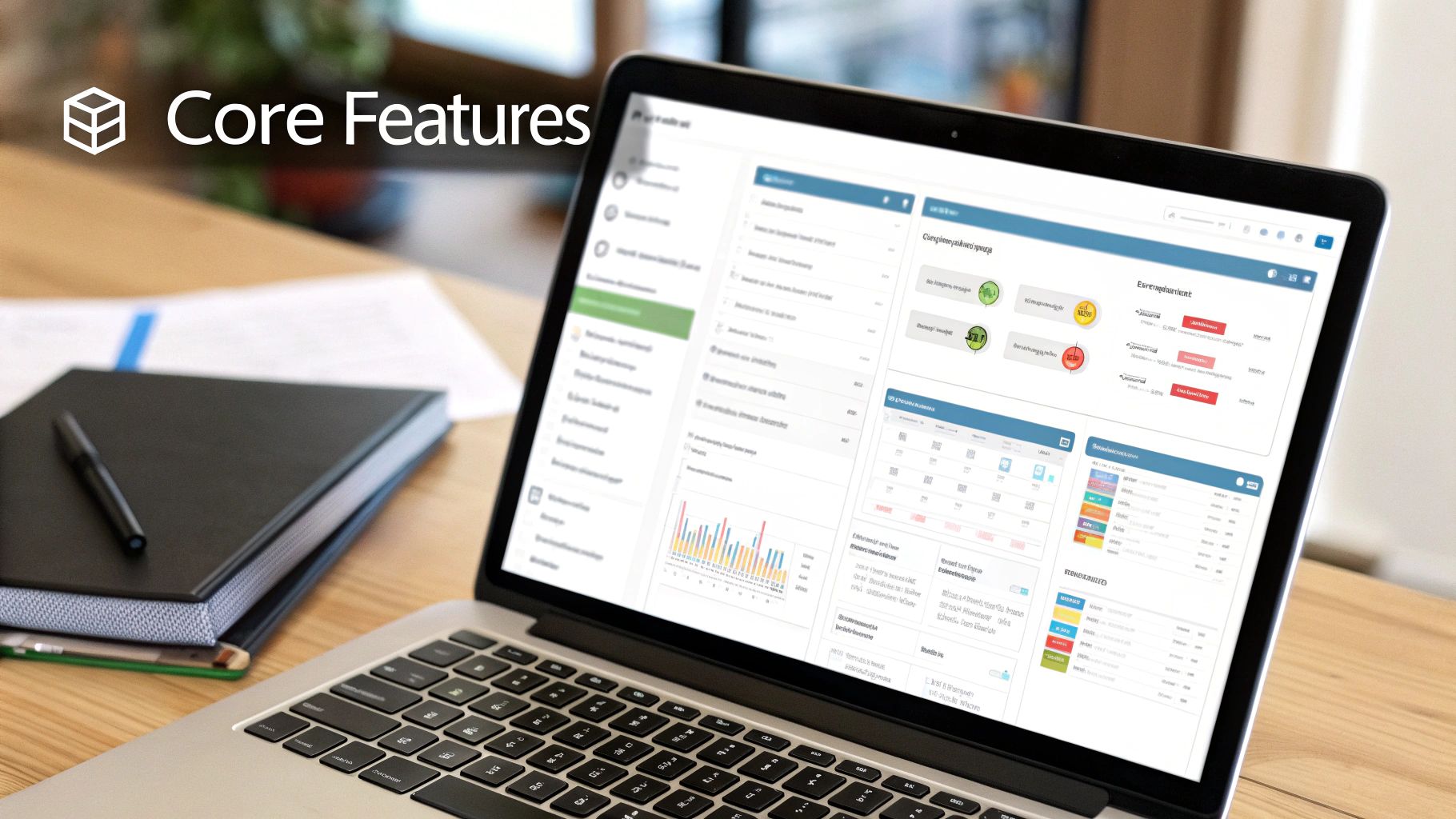
When you’re picking a CRM for B2B order management, you need to look past the shiny sales pitches. The real value is in the core features that solve your day-to-day challenges. A good system isn't just a fancy digital filing cabinet; it's the engine that connects what your sales team promises with what your operations team can actually deliver.
Think about it: without the right tools, sales reps are flying blind, and the operations team is left to sort out the confusion. The goal is to find a system where every feature works in harmony, creating a smooth, transparent, and error-free journey from the first quote to the final payment.
Quote-to-Cash Automation
This is the absolute cornerstone of a modern sales cycle. With Quote-to-Cash automation, a sales rep can build a quote, get it approved, and—with a single click—turn it into a sales order the moment the client says "yes." This simple action wipes out the manual data entry that’s responsible for so many costly mistakes.
For instance, as soon as a deal is marked "won," the system can fire off a chain reaction:
- It can ping the fulfillment team with all the order details.
- It can shoot an invoice over to the finance department.
- It can instantly update the customer's record with their purchase history.
That's the kind of hands-off efficiency every growing business needs. To see how the quoting piece of this puzzle works, check out our guide comparing CRM and CPQ (Configure, Price, Quote) solutions.
Real-Time Inventory Visibility
Has your team ever sold a product that wasn't actually in stock? It's a classic B2B headache. A powerful CRM must give sales reps a live, accurate window into inventory levels, right from the customer's account page. This lets them set realistic delivery expectations instead of making promises the company can't keep.
When inventory data is synced in real-time, a rep on a sales call can confirm availability on the spot. That kind of confidence builds trust and starts the customer relationship off on the right foot.
A great CRM order management system becomes your single source of truth. It ensures that when a sales rep quotes a delivery date, they’re using live data from the warehouse, not just guessing based on an old spreadsheet.
Dynamic Pricing and Product Catalogs
B2B pricing is rarely straightforward. You're juggling customer-specific discounts, tiered pricing for bulk orders, and temporary promotions. A central product catalog inside the CRM is non-negotiable; it guarantees every quote pulls the correct, up-to-date pricing and prevents revenue from slipping through the cracks due to human error.
This feature is all about maintaining consistency and accuracy across your entire sales team. Every customer gets the right price, every single time, without any guesswork. The market understands this need. The global Order Management Systems market was valued at $2.19 billion in 2021 and is projected to hit $3.51 billion by 2025, showing just how much businesses are investing in getting this right. You can read more about the growth of the OMS market.
Putting Your CRM at the Heart of Your Business
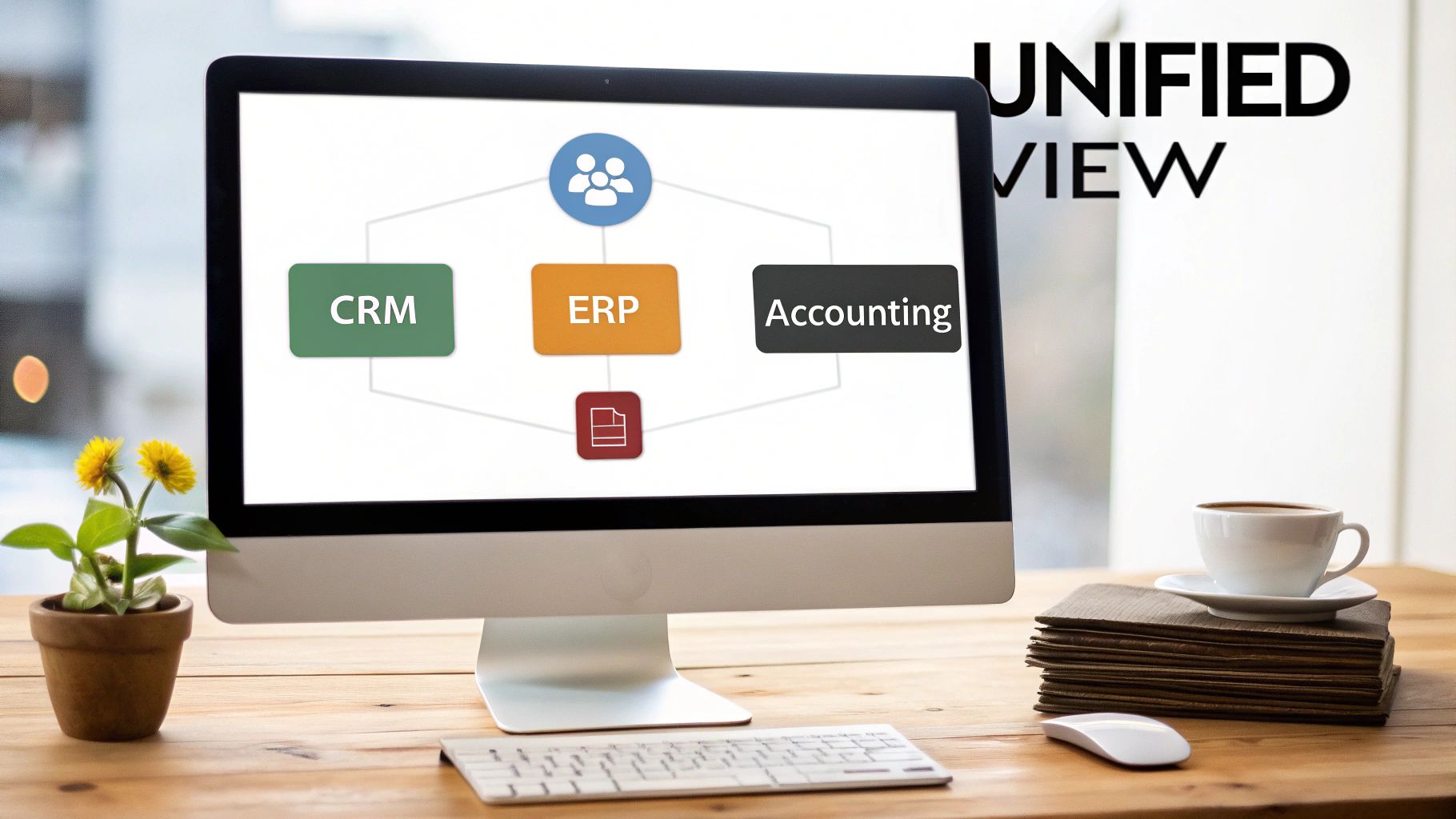
A CRM that handles orders is a huge leap forward from tracking things on a spreadsheet. But if that CRM is all by itself, it's just a lonely island of data. The real magic happens when it starts talking to the other software that makes your business tick. The goal isn't just to have a CRM; it's to create a connected system where information flows freely, giving everyone a single source of truth for everything customer-related.
When your systems don't communicate, your teams are stuck in the past. They're manually copying and pasting information, dealing with outdated data, and never quite seeing the full picture of a customer's journey. Real efficiency kicks in when you connect your CRM to the tools your finance, operations, and warehouse teams live in every day.
Linking Up With Your ERP and Accounting Software
The most powerful connections you can make are with your Enterprise Resource Planning (ERP) and accounting software. Your ERP is the operational powerhouse—it's what manages your inventory, supply chain, and all the logistics behind the scenes. Plugging this directly into your CRM completely changes the game for your sales team.
For instance, when these systems are linked, a sales rep can see live inventory levels right inside the CRM. No more guessing. They can confidently promise a delivery date because they know the product is actually on the shelf, preventing the awkwardness of selling something that’s on backorder. We dive deeper into how this connection works in our guide to ERP and CRM integration.
The same goes for accounting software like QuickBooks or Xero. An integration here puts your entire invoicing and payment cycle on autopilot.
- No More Manual Invoices: An order is finalized in the CRM, and poof—an invoice is automatically created in your accounting system.
- Live Financial Data: Your finance team sees revenue as it comes in, without having to chase down sales reports.
- Fewer Mistakes: This connection gets rid of the typos and human errors that inevitably happen when re-keying order details and customer info.
Key Takeaway: By integrating your core systems, you elevate your CRM from a simple sales database to the command center for your entire business. Everyone, from sales to finance to the warehouse, works from the same playbook.
To really see the difference, let’s compare how things work with and without these connections.
Standalone vs Integrated CRM Order Management
| Operational Area | Standalone System (Manual Process) | Integrated System (Automated Process) |
|---|---|---|
| Inventory Check | Sales rep calls or emails the warehouse to confirm stock. | Sales rep sees real-time stock levels inside the CRM. |
| Order Entry | Order details are manually copied from the CRM to the ERP. | Order is created once in the CRM and automatically syncs to the ERP. |
| Invoicing | Finance team manually creates an invoice based on sales data. | An invoice is automatically generated when the order is approved. |
| Customer History | Information is scattered across email, CRM, and accounting files. | A single customer record shows all orders, payments, and comms. |
| Reporting | Managers pull data from multiple systems to build reports. | Comprehensive reports are generated from one unified data source. |
As you can see, the difference isn't just about saving time—it's about creating a more accurate, reliable, and responsive operation from top to bottom.
Crafting a Complete Customer Story
Beyond your ERP and accounting software, bringing your communication tools into the fold is the final piece of the puzzle. When you connect your CRM to email platforms like Gmail or Outlook, every single conversation with a customer is automatically logged on their profile. This gives anyone who interacts with that account a rich, complete history to draw from.
This kind of unified view is exactly why so many businesses are investing heavily in their customer management tools. The global CRM market, currently valued at around $101 billion, is expected to skyrocket to $263 billion by 2032. That massive growth is driven by the demand for seamless, data-rich customer experiences—something you can only truly achieve when all your systems work together.
Making the Switch: Best Practices for a Smooth Rollout
Let's be honest: bringing in any new software can feel daunting. It's not just about the tech—it's about getting your team on board and making sure the new system actually makes their lives easier. A good implementation plan for your CRM order management system is the difference between a tool everyone loves and one that collects digital dust.
Think of it like laying the foundation for a new building. You need a solid blueprint before you even think about pouring the concrete. Without that planning, you're setting yourself up for headaches like low user adoption and a messy data transfer. The goal here is to get value from day one.
Start with a Clear Workflow Map
Before you even log into the new CRM, get your team in a room with a whiteboard. The first step is to map out your entire order process, from the initial quote all the way to the final paid invoice. No detail is too small.
This simple exercise is incredibly revealing. You'll quickly spot the bottlenecks, the manual workarounds, and the communication gaps that are slowing you down. More importantly, you'll know exactly what you need the new system to do to fix those problems.
With this map in hand, you can assign clear ownership for each step. Who turns a quote into a sales order? Who’s responsible for sending out fulfillment alerts? Answering these questions now prevents a world of confusion down the road.
The secret to a successful CRM implementation isn't about bending your team to fit the software. It’s about making the software fit your team. When you put your people's needs first, adoption happens naturally.
Launch in Phases and Train Your Team
Going "all-in" from day one is a classic mistake. It's overwhelming for everyone and makes troubleshooting a nightmare. A much smarter approach is to roll out the system in manageable phases.
Start with a small pilot group of enthusiastic users. Let them test drive the core features, like creating quotes and processing new orders. This gives you a chance to collect real-world feedback, fix any kinks, and score some early wins. Nothing builds momentum like a few team members raving about how much time they're saving.
And of course, training is everything. But don't just run through a feature list. You have to connect the dots and show them why this new tool helps them specifically.
- For your sales reps: Show them how they can track an order's status right from the CRM, eliminating the need to chase down the operations team.
- For your operations team: Demonstrate how automated notifications deliver all the order details instantly, so they can stop wasting time on manual data entry.
- For managers: Walk them through the real-time dashboards that give them a complete picture of the sales pipeline and order volume without having to pull a single report.
By taking the time to map your process, define roles, launch strategically, and train effectively, you’re not just installing software. You're building a better way to work. This turns your CRM order management system into the powerful asset it's meant to be.
How to Know If It's Actually Working: Measuring Success with the Right KPIs
So, you've set up your new CRM for order management. That's a great first step, but how do you really know if it’s making a difference? Gut feelings won't cut it when you need to justify the investment.
You need to track a few key performance indicators (KPIs). Think of these as your system's vital signs. They give you concrete numbers to show exactly where you’re becoming more efficient, where customers are happier, and what needs a little more work. This data is how you prove a clear return on investment (ROI) to everyone who matters.
Key Metrics for B2B Order Management
It's easy to get buried in data, so don't try to track everything. Instead, zero in on the metrics that tell the most important story about your operational health and what your customers are experiencing.
Here are four essential KPIs to keep a close eye on:
-
Order Cycle Time: This is the stopwatch for your entire process. It measures the total time from the moment a customer clicks "buy" to the moment the package lands on their doorstep. Shorter cycle times mean you're running a tight ship, and your customers are getting what they need faster.
-
Order Accuracy Rate: How many orders do you get right the first time? This metric tells you just that. It's calculated as
(Total Orders - Orders with Errors) / Total Orders. A high accuracy rate is a direct line to better profitability because it slashes the costs and headaches that come with returns. -
Fulfillment Cost per Order: This number rolls up all the expenses—shipping, labor, warehouse space—that go into getting one single order out the door. A well-configured CRM should help push this number down by automating repetitive tasks and making your whole workflow smarter.
-
Customer Satisfaction (CSAT) Score: Sometimes the best way to know how you're doing is to just ask. Send out a simple survey asking customers to rate their buying experience. When you connect their feedback to specific orders, you can see exactly how your process improvements are making them feel.
By consistently tracking these KPIs, you're not just collecting numbers; you're building a story of progress. You'll have everything you need to show, without a doubt, how your CRM order management system is cutting costs, speeding up delivery, and creating loyal customers.
Got Questions? We've Got Answers
Diving into new software always brings up a few questions. Let's tackle some of the most common ones that business owners and sales managers ask when they're thinking about using a CRM to handle their orders.
Is This Really Something a Small Business Needs?
Yes, absolutely. In fact, small businesses often feel the positive effects the fastest. A CRM with order management is like giving a small team a massive productivity boost, letting them handle a growing order volume without immediately needing to hire more people just to keep up with the paperwork.
Think of it as an extra set of hands that automates all the tedious stuff—like punching in order details or sending out status updates. This cuts down on expensive mistakes and frees up your people to do what they do best: sell and build relationships. It sets you up to grow without the growing pains.
A lot of people think this kind of tech is only for the big players. The truth is, it gives smaller companies the tools to punch above their weight, delivering a smooth, professional customer experience right from the get-go.
OMS vs. ERP vs. CRM – What’s the Real Difference?
It’s easy to get these mixed up, but it helps to think about what each one cares about most:
- OMS (Order Management System): This is all about the what. Its entire world revolves around the journey of a single order, from the moment it's placed until it's in the customer's hands.
- ERP (Enterprise Resource Planning): This system is focused on the how. It’s the logistical brain of the company, managing core resources like inventory levels, supply chain, and financials.
- CRM with order management: This one is all about the who—the customer. It puts the relationship front and center, viewing every order as part of a much bigger customer story.
While ERPs and dedicated OMS platforms are great at what they do, their main job isn't to nurture customer relationships. A CRM-first approach makes sure every part of the order process—from the initial quote to the final delivery—is shaped by what you know about the customer, which leads to a much better experience for them.
How Long Does It Take to Get This Up and Running?
For most small to medium-sized businesses, you're typically looking at anywhere from a few weeks to a couple of months. The timeline really depends on a few things: how complex your sales process is, how much customer data needs to be moved over, and what other tools you need to connect to it.
My advice? Don't try to boil the ocean. Go for a phased rollout. Get the core functions working first—things like creating quotes and processing orders. Once that’s running smoothly, you can start layering in the more advanced features. This way, you start seeing a return on your investment much faster.