A standard CRM is like a Swiss Army knife. It's got a bunch of tools, but none are really specialized for the tough jobs. A CRM for professional services firms, on the other hand, is like a master mechanic's toolkit—every single piece is designed for the specific, complex work of managing client relationships, intricate projects, and all those billable hours. It’s the difference between a generic gadget and a precision instrument.
Why Your Firm Needs a Specialized CRM
Let's be blunt: most off-the-shelf CRMs are a terrible fit for professional services. They were built with one thing in mind—selling physical products. Their entire logic revolves around a simple, linear sales funnel that ends when a deal is closed. This model completely falls apart for consultancies, law firms, creative agencies, and engineering firms where closing a deal is just the start of a long, multifaceted relationship.
Think about it this way. A generic CRM is like a family sedan; it gets you from A to B just fine. But running a professional services firm is more like managing a complex logistics operation, moving heavy, specialized equipment across all kinds of terrain. You wouldn't use a sedan for that. You'd get a vehicle built for the job.
The Mismatch with Traditional CRMs
The fundamental problem is that traditional CRMs are product-centric, not project-centric. They’re great at tracking inventory and one-off sales. But this structure leaves massive gaps for a service-based business that has to juggle:
- Long-Term Engagements: Your client relationships aren't transactions. They are ongoing partnerships, often spanning years.
- Multiple Stakeholders: A single project can have dozens of contacts, from your client’s team to your own internal specialists, all with unique roles.
- Project-Based Workflows: Your entire world revolves around projects, timelines, deliverables, and resource planning—concepts that are completely alien to most sales-focused CRMs.
- Complex Billing Cycles: You aren't just selling a widget for a fixed price. You're tracking billable hours, managing retainers, and invoicing against project milestones.
A generic CRM just can't handle this level of complexity out of the box. Firms often try to make it work, but they end up with a tangled mess of spreadsheets, disconnected apps, and frustrating manual workarounds. This patched-together system leads to lost information, wasted time, and zero real insight into whether your projects are even profitable.
A specialized CRM for professional services firms isn't a luxury; it's a fundamental tool that aligns your technology with your business model, turning operational chaos into streamlined efficiency.
Shifting from Administration to Strategy
When your team is fighting with software that doesn't fit, they're not focused on serving clients. Precious time that could be spent on high-value strategic work gets burned on administrative busywork, like manually logging hours or hunting through email chains for the latest project update.
This is exactly the problem a purpose-built CRM for professional services firms solves. It acts as the central hub for your entire operation, connecting client data directly to project management, time tracking, and resource planning. This gives you a true 360-degree view of every client and project, allowing your firm to stop being reactive and start making proactive, data-driven decisions. It’s not just about organizing contacts—it’s about optimizing the very core of how you deliver your services.
The Core Features of a Professional Services CRM
If you've ever tried to manage a complex client project using a generic sales CRM, you know the frustration. It's like trying to haul lumber in a sports car. It might work for a short trip, but it's not what the tool was built for. A generic CRM is great at tracking leads and contacts, but it falls apart when you need to manage the very thing your firm sells: expertise delivered through projects.
This is where a specialized CRM for professional services firms changes the game. It's not just a fancy address book; it's the operational hub for your entire business, connecting the dots between client relationships, project delivery, and your firm's profitability.
Think of it this way: instead of just tracking the sale, this kind of CRM helps you manage the entire client journey, from that first exploratory call to the final invoice and beyond.
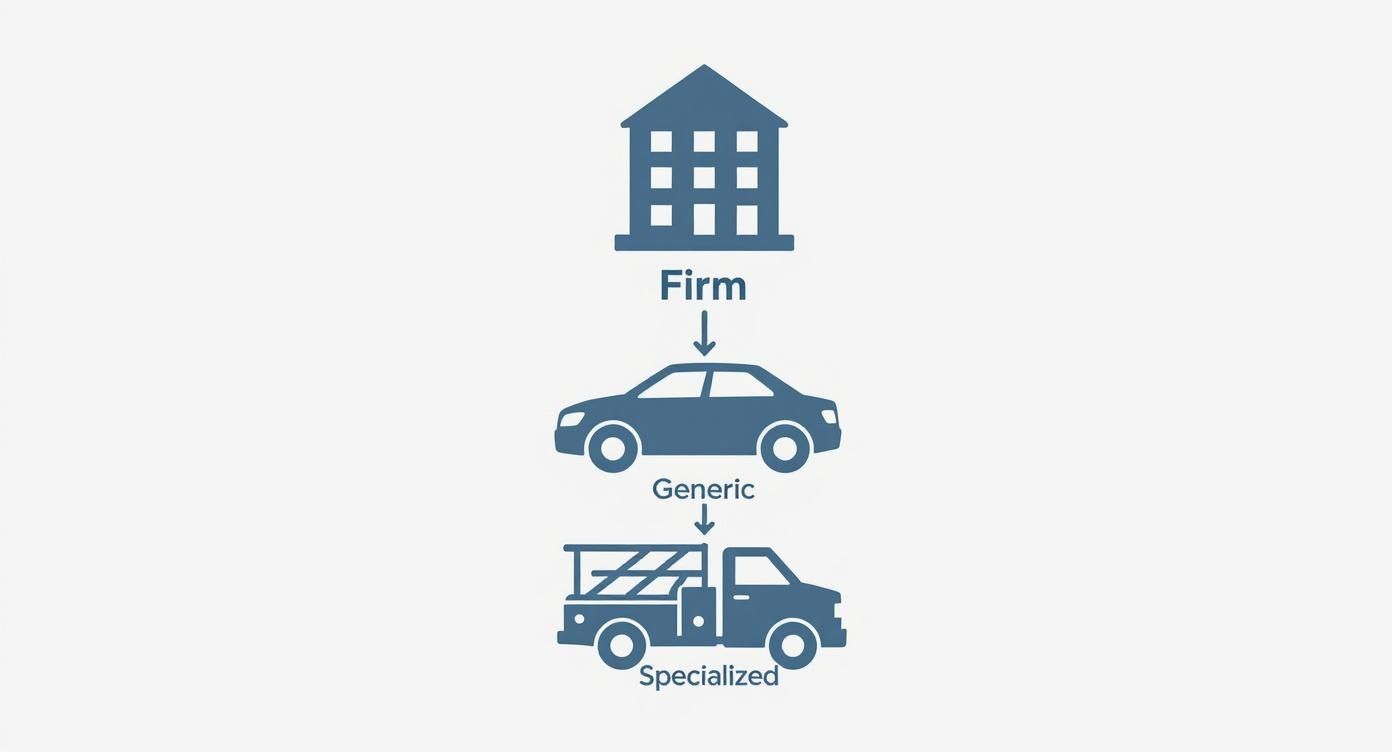
The image above perfectly captures this idea. While any vehicle can get you from point A to point B, you need the right tool for the job. A professional services firm carries a heavy, project-based workload, and it needs a system built to handle that specific load.
Let's dig into the essential features that make this possible.
A Complete 360-Degree Client View
In a services business, a client isn't just a row in a spreadsheet. They represent a complex web of relationships, projects, conversations, and history. A purpose-built CRM gives you a true 360-degree view, pulling all those threads together in one place.
This is so much more than just contact management. Imagine clicking into a client's profile and instantly seeing:
- The Full Conversation: A complete, chronological timeline of every email, meeting, and call.
- Project Central: A dashboard of all past and present projects, showing their status, budget, and key milestones at a glance.
- The Who's Who: A clear map of every stakeholder, from the person who signs the checks to the daily project lead on their team.
This single source of truth means anyone in your firm—a partner, a project manager, or a new consultant—can get up to speed on any client relationship in minutes. No more digging through siloed inboxes or tapping colleagues on the shoulder for context.
Integrated Project and Time Management
One of the biggest operational headaches for any firm is the gap between where client data lives and where the actual work happens. You manage relationships in one system but track projects and time in another. A CRM designed for services closes this gap for good.
It integrates project management and time tracking directly into the client record. This simple but powerful connection means you can log billable and non-billable hours against a specific project within the CRM. The benefits are immediate: it kills duplicate data entry, slashes administrative time, and gives you a real-time pulse on project profitability.
When your CRM and project management speak the same language, you gain immediate insight into resource allocation and budget adherence, transforming your CRM from a sales tool into a profitability engine.
Intelligent Resource Planning
Getting the right people on the right projects is part art, part science. But without clear data, it's mostly just guesswork. This often leads to your best people being overworked while others are left on the bench. An effective CRM for professional services brings data to the forefront with intelligent resource planning.
These tools give managers a bird's-eye view of team availability, skills, and current workloads. A manager can quickly see which consultant has the right industry experience and the bandwidth for a new engagement starting next month. This data-driven approach ensures you're making the most of your talent. And remember, better allocation means higher billable utilization rates and more profitable projects.
Seamless Billing and Financial Integration
Let's be honest: getting paid accurately and on time is what keeps the lights on. A specialized CRM streamlines this entire process by connecting directly to your accounting and billing software, like QuickBooks or Xero.
Because all the project time and expenses are already logged in the CRM, creating an invoice is no longer a manual, error-prone task. You can automatically generate and send invoices based on project milestones, hourly work, or retainer schedules. This seamless data flow ensures accuracy, cuts down on billing disputes, and dramatically speeds up your cash flow.
Complex Workflow Management
Finally, client engagements are rarely a simple, one-to-one conversation. You're constantly juggling communication and approvals between multiple people on the client's side and your own internal team.
A specialized CRM is built for these messy, multi-stakeholder workflows. It acts as a central hub for sharing documents, capturing feedback, and managing approvals, making sure nothing falls through the cracks. For example, a draft report can be shared with three client contacts for review, with all their comments and version history tracked in one place—right on the project record. This clarity keeps everyone aligned and the project moving forward.
Generic CRM vs. Professional Services CRM Features
To put it all together, here’s a clear breakdown of how a generic, sales-focused CRM stacks up against one designed specifically for the needs of a professional services firm.
| Functionality | Generic Sales CRM | Professional Services CRM |
|---|---|---|
| Primary Focus | Lead and opportunity tracking | End-to-end client lifecycle and project delivery |
| Contact Management | Stores basic contact and company info | Maps complex relationships and stakeholder roles |
| Project Management | None, or requires a separate integration | Built-in project tracking, tasks, and milestones |
| Time & Expense | Not a native feature | Integrated time and expense logging against projects |
| Resource Planning | Lacks visibility into employee skills/availability | Tools for capacity planning and skill-based allocation |
| Billing & Invoicing | Requires manual data transfer to accounting | Seamless integration for automated invoicing |
| Core Metric | Sales pipeline value | Project profitability and resource utilization |
As the table shows, a generic CRM focuses almost exclusively on the pre-sale process. A professional services CRM, on the other hand, provides the operational backbone needed to not only win the business but to deliver it profitably and build a lasting client relationship.
How the Right CRM Drives Firm Growth
Let’s get down to the real question every firm partner asks: what's the ROI on this thing? A CRM built for professional services isn't just a glorified address book. It’s the engine that powers sustainable growth. It connects the dots between finding clients, delivering projects, and sending invoices—tying everything directly to the numbers that matter.
This is about shifting from gut-feel decisions to data-backed strategy. Instead of guessing which clients are your best bet or which projects actually make money, a CRM gives you the unvarnished truth. Your client and project data stops being a dusty archive and becomes a live, strategic tool you can use to grow.

Unlocking Higher Profitability
In a services firm, profitability boils down to one thing: effective resource utilization. The right CRM gives you the bird's-eye view you need to nail this. Managers can finally see who's swamped, who's on the bench, and who has the exact skills for that next big project.
Think of a mid-sized consulting firm that was always scrambling to staff projects. After getting a CRM with resource planning tools, they found two senior consultants were consistently idle between major gigs. By spotting this, they started assigning them to smaller, quick-turnaround projects, boosting firm-wide billable hours by 15% in just six months.
This hits the bottom line directly by:
- Maximizing Billable Hours: Keeping your experts focused on work that generates revenue.
- Real-Time Project Budgeting: Catching budget overruns before they happen by tracking hours and expenses in real-time.
- Data-Driven Profit Analysis: Pinpointing which clients and project types are your most profitable, so you know where to focus your sales efforts.
Improving Client Retention and Loyalty
We all know it’s cheaper to keep a client than to find a new one. A CRM is your firm's shared memory, making every client interaction smooth and informed, which is the foundation of loyalty. It holds the complete history of every email, meeting, and project, so anyone on your team can step in and talk to a client like they’ve been on the account for years.
When your team has a 360-degree view of the client relationship, they can anticipate needs, address issues before they escalate, and deliver a consistently high level of service that turns clients into long-term partners.
This deep insight allows you to manage relationships proactively. For instance, the system can automatically flag an account that hasn't been contacted in 90 days, prompting a partner to check in. It’s a simple nudge that keeps relationships warm and often uncovers new opportunities that would have otherwise slipped through the cracks.
Boosting Pipeline Value and Win Rates
The sales cycle in professional services can be long and winding. A CRM brings much-needed structure to that complex process. By laying out your entire deal pipeline visually, you can spot bottlenecks, track progress, and forecast revenue with way more confidence. For a closer look, check out our guide on B2B pipeline management for growing SMEs.
Take an engineering firm that used its CRM to dig into past proposals. They noticed their win rate was way higher when they included detailed case studies from similar projects. Armed with that fact, they made it standard practice to include data-backed case studies, and their overall win rate jumped by over 20% in a year.
The stats tell a similar story. Generally, businesses that adopt a CRM see a 29% increase in revenue and a 34% boost in employee productivity. For services firms, specifically, using a CRM to nurture leads has led to conversion rate improvements of up to 300%. This is what happens when you turn your firm’s history into a playbook for winning new business.
Choosing the Right CRM for Your Firm
Picking the right CRM can feel like you're lost in a maze. There are so many options out there, and every single one promises to be the magic bullet for your firm's problems. It's easy to feel overwhelmed. But you can make a confident choice if you have a clear plan for how to evaluate them.
Think of this less like buying software and more like finding a strategic partner that will help your firm grow for years to come. The trick is to ignore the flashy, superficial features and zero in on the core functions that will actually support your project-based business. A great choice really comes down to a handful of critical criteria that separate a "good enough" CRM from one that can truly power your firm.
Future-Proof Scalability
Your firm isn't standing still, so why would you choose a CRM that is? The system you pick today needs to support where you want to be tomorrow. Maybe that's growing from a small boutique agency into a firm with multiple offices, or perhaps it's about adding entirely new service lines.
Scalability isn't just about adding more users; it's about the platform's ability to handle increasing complexity—more projects, more client data, more detailed reporting—without slowing to a crawl.
Don't be afraid to ask potential vendors the tough questions:
- How does your system perform when project volume and data double or triple?
- What's the actual process for adding a new team or an entire office location?
- Does your pricing model penalize growth, or does it scale in a fair, affordable way?
A truly scalable CRM for professional services firms should feel like it's growing right alongside you. This foresight prevents the massive headache and cost of having to rip everything out and start over in just a few years.
Powerful Integration Capabilities
A CRM that can't talk to your other essential tools isn't a solution—it's just another problem. It becomes an isolated island of information, forcing your team back into the drudgery of manual data entry and trying to reconcile mismatched reports. Your CRM should be the central hub of your operations, the sun that all your other software planets orbit around.
This is more important than ever. The global CRM market is huge—data shows it was worth about US $254.89 billion in 2024 and is expected to climb to US $298.61 billion in 2025. A major reason for this boom is the shift to the cloud. With roughly 87% of CRMs now cloud-based, integrations are easier and more powerful than ever. You can learn more about this trend and what it means for consulting firms.
Before you sign anything, make sure the CRM has solid, ready-to-go integrations with your core tools:
- Accounting Software: Think QuickBooks or Xero, for seamless invoicing.
- Email and Calendar Platforms: Outlook and Gmail, to sync every client communication automatically.
- Document Storage: Services like Google Drive or SharePoint, to keep project files organized and accessible.
A well-integrated CRM gets rid of data silos. It creates a single source of truth that saves a ton of time, slashes errors, and gives everyone a complete, 360-degree view of what's happening with clients and projects.
Intuitive User Experience
Let's be blunt: the most feature-packed CRM on the planet is worthless if your team can't stand using it. A clunky, confusing interface is the single biggest killer of user adoption. If logging hours or updating a project feels like a chore, your people will find ways to avoid it, and that expensive new system will turn into a ghost town.
The user experience (UX) has to be clean, intuitive, and built for speed. When you're watching demos, pay close attention. How many clicks does it take to do the things your team does every day? A system designed with the actual user in mind is an investment that pays for itself.
If you're looking for more guidance on this, you can explore the basics of a quality B2B CRM.
Deep Industry Expertise
Here’s a big one: does the vendor actually get the professional services world? Many generic CRM companies will tell you their platform can be "customized" for your firm. But what that usually means is you’re on the hook for expensive, time-consuming setup projects that still don't quite get it right.
A vendor with genuine industry expertise builds their platform from the ground up to solve the unique challenges of a project-based business. They speak your language. They already understand concepts like utilization rates, billable hours, and project profitability without you having to explain it. That built-in knowledge is priceless.
A Roadmap for Successful CRM Implementation
Picking the right CRM for professional services firms is a huge win, but it’s only half the battle. You can have the most powerful software on the market, but if your team doesn't actually use it, it's just an expensive paperweight. A successful rollout depends on a smart plan that puts your people first.
Think of it like giving a team of seasoned architects a new, high-tech design software. You can't just install it on their computers and walk away. You need to show them how it makes their jobs easier, walk them through the new tools, and help them move on from their old, familiar methods. The human side of this shift is where the real work—and the real reward—is found.

Building Your Implementation Foundation
A smooth transition starts well before anyone logs into the new CRM. The very first step is getting enthusiastic buy-in from the firm’s leadership. When partners and senior managers are visibly excited about the new system, everyone else is far more likely to follow suit.
Once leadership is on board, it's time to assemble a cross-functional implementation team. This isn't just a job for the IT department. You need people from every part of the firm—project managers, consultants, business development folks, and administrative staff. Their different viewpoints are crucial for making sure the CRM is set up to solve real problems for everyone, not just a select few.
This team's first jobs are to:
- Define Clear Goals: What does success look like in 6, 12, and 18 months? Are you aiming for a 10% boost in billable hours or a 15% faster invoicing cycle? Get specific.
- Clean Your Data: Moving messy, outdated client and project information into a shiny new system is a recipe for disaster. Take the time to scrub your existing records before you even think about migration.
- Plan a Phased Rollout: Don't try to boil the ocean. Start with a core function, like managing contacts and projects. Once everyone is comfortable, you can gradually roll out more advanced features like resource planning and billing integrations.
Driving User Adoption and Engagement
Ultimately, user adoption is the only metric that matters. For every dollar spent on a CRM, businesses can see an average return of $8.71—but that ROI is completely dependent on people actually using the software. The hard truth is that around 40% of CRM features often sit collecting dust because of poor training or resistance from the team. You can learn more about the impact of user adoption on CRM success on nutshell.com.
You need a solid strategy to make sure that doesn't happen at your firm.
The goal isn't just to get people to use the CRM; it's to make it an indispensable part of their daily workflow, helping them do their jobs better and more easily.
Here’s how you can make that a reality:
-
Deliver Role-Specific Training: A one-size-fits-all training session is a waste of time. A partner needs to know how to pull high-level profitability reports. A project manager needs to master assigning tasks and tracking time. Tailor your training to what each person actually needs to do their job.
-
Empower Internal Champions: Find those tech-savvy, enthusiastic people on your team and turn them into "CRM champions." They can offer peer-to-peer support, share little wins, and build positive momentum from the ground up.
-
Celebrate Early Wins: Did a team use the CRM to close a new client ahead of schedule? Did a project manager spot a budget issue before it became a crisis? Shout it from the rooftops. Highlighting these small, tangible victories shows everyone the real-world value of the system and gets them excited to dive in.
Common Questions About Professional Services CRMs
Even after you're sold on the benefits, it's natural to have a few practical questions pop up before you sign on the dotted line. It's actually a good sign—it means you're thinking through the real-world impact of bringing a new system into your firm.
Let's walk through some of the most common hurdles and questions we hear from leaders right before they make their final decision.
How Long Does a CRM Implementation Take?
This is the big one, and the honest-to-goodness answer is: it depends. If you're a solo consultant, you could be up and running in a couple of weeks. But for a mid-sized or large firm with multiple teams and complex projects, you're looking at a more involved process.
Realistically, timelines can range from several weeks to a few months. The schedule really hinges on a few key factors:
- Firm Size: The more people you have, the more setup and training is needed. Simple as that.
- Data Complexity: How much data are you bringing over, and is it a tangled mess or relatively clean? This is a huge factor in the migration timeline.
- Integration Needs: If you need to plug the CRM into your accounting software, project management tools, and other systems, each connection adds a bit of time.
We almost always recommend a phased rollout. Start with the absolute must-have features to get your team comfortable. You can build momentum with some quick wins before introducing the more advanced capabilities. It’s far less overwhelming that way.
Can We Migrate Existing Client and Project Data?
Yes, of course! Moving your historical data is a non-negotiable part of any CRM setup. No one expects you to just abandon years of valuable client and project history and start with a blank slate.
Think of it like moving to a new house. It's the perfect chance to go through your stuff, throw out the junk, and get organized before you unpack everything in your new space.
The key to a smooth migration is cleaning up your data before you move it. This is your chance to merge duplicate contacts, archive projects from a decade ago, and standardize how you format things. A clean slate from day one means you'll get accurate, trustworthy insights from your new system's reports right away.
Is a Specialized CRM More Expensive?
Looking purely at the initial price tag, a specialized CRM can sometimes look more expensive than a generic, off-the-shelf option. But that's not the whole story. You have to think about the total cost of ownership (TCO).
Generic CRMs are notorious for hidden costs. You quickly realize you need to bolt on a separate app for time tracking, another for resource planning, and maybe even hire a developer to build custom workflows. Those costs add up fast.
A CRM built specifically for professional services usually delivers a much better return on your investment because it already has those critical features built right in. You get one cohesive system instead of a patchwork of different tools, which saves you money on subscriptions and cuts down on the administrative headaches. The upfront investment might be a bit more, but the long-term gains in efficiency and profitability almost always win out.
For more deep dives into CRM strategies and what's new in the industry, feel free to explore the articles on our B2B CRM blog.
Article created using Outrank