Think of a CRM for financial advisers as more than just software. It’s a central nervous system for your practice. It pulls together client information, helps you manage relationships, automates the tedious stuff, and keeps you on the right side of regulations. This isn't just a fancy address book; it’s the operational core that connects everything from your call notes to a client's portfolio details.
Why a Specialized CRM Is Your Practice Command Center

Let's drop the idea of a CRM being a digital rolodex. For a modern financial adviser, a purpose-built CRM is the command center for your entire business. Picture a pilot’s cockpit. Every critical piece of information—client data, communication logs, compliance deadlines, and workflow progress—is right there at your fingertips, integrated and easy to see.
This central hub fundamentally changes how you work. You stop reacting to problems and start managing your client relationships proactively. No more digging through spreadsheets or old email threads to find notes from your last conversation. Everything you need is organized and ready.
From Disorganized Data to Centralized Intelligence
A generic CRM can track a sales lead, sure. But a CRM for financial advisers speaks your language. It’s designed from the ground up to understand the nuances of our industry, like managing households, tracking complex family trees, and flagging key financial milestones like Required Minimum Distributions (RMDs) or college savings goals.
This system becomes your single source of truth. With it, you can:
- View Client Histories Instantly: Pull up a full history of every meeting, call, and email right before a client review.
- Track Key Financial Data: Keep an eye on assets under management (AUM), account types, and investment goals, all in one dashboard.
- Automate Critical Reminders: Set up workflows to automatically prompt you for annual reviews, compliance tasks, or even just a client's birthday.
A specialized CRM doesn’t just hold your data; it makes it useful. It turns scattered bits of information into a complete, clear picture of each client relationship. That’s how you build real trust and deliver truly personal advice.
Let’s be clear on the difference this makes. While a generic CRM might get you part of the way there, a system built for advisers anticipates your needs before you even have them.
Specialized vs Generic CRM What Advisers Gain
| Benefit Area | Impact on Your Practice |
|---|---|
| Client Model | Manages households and complex family relationships, not just individual contacts. This gives you a holistic view of client wealth. |
| Workflow Automation | Comes with pre-built templates for common adviser tasks like onboarding, client reviews, and compliance checklists. |
| Compliance & Security | Designed to meet strict industry regulations (SEC, FINRA), with features like audit trails and secure document storage. |
| Integrations | Connects directly with financial planning software, custodians, and portfolio management tools you already use. |
| Industry Terminology | Uses familiar language (AUM, RMDs, etc.), making it intuitive for you and your team to adopt and use effectively. |
The bottom line is that a specialized CRM is built to solve the specific problems you face every day, saving you the headache of trying to force a generic tool to fit your practice.
The Engine for Scalable Growth
As your practice expands, manual processes that once worked just fine become serious bottlenecks. A solid CRM acts as the engine that drives your operations, automating those repetitive tasks and making sure everyone on your team delivers a consistent client experience. This efficiency isn't just a nice-to-have; it's a direct driver of growth.
In fact, some studies show advisers can see up to a 300% increase in prospect-to-client conversion rates after adopting the right CRM tools. Discover more insights about financial services CRMs.
By putting systems in place, you build a foundation that can scale. New team members can get up and running faster, your level of client service stays high, and you free up your own time to focus on what really matters—building relationships and bringing in new business. The right platform lays the groundwork for a more efficient and profitable practice.
Must-Have Features in a Financial Adviser CRM
When you're picking a CRM, think of it like choosing the right set of tools for a master craftsman. You wouldn't use a generic toolbox for a specialized job; you'd want precision instruments. It's the same idea here. A standard CRM is a good start, but financial advisers need specific features to really make their practice hum in such a regulated field.
Not every platform can handle the unique pressures and workflows of financial advice. Let's dig into the absolute must-haves that turn a simple contact list into the command center for your entire practice. These are the features that will genuinely save you time, slash your risk, and help you deliver the kind of service that keeps clients for life.
Centralized Client and Household Management
At the core of your practice are your client relationships, and those relationships are rarely just one person. A generic CRM tracks individual contacts, but a CRM for financial advisers has to be brilliant at managing entire households. It needs to seamlessly link spouses, children, trusts, and business entities into one unified view.
Why is this so critical? Because it lets you see the whole financial story. With it, you can:
- View an entire household's AUM in a single glance.
- Map out relationships between family members and their various entities.
- Build financial plans around collective family goals, not just siloed individual accounts.
Without this capability, you're trying to solve a puzzle with half the pieces missing. It’s a recipe for disjointed advice and missed opportunities.
Robust Compliance and Security Tools
Working in finance means compliance isn't just a box to tick—it's the foundation of your business. Your CRM holds a massive amount of sensitive client data and communication history, making it a hotspot for regulators like the SEC and FINRA. A purpose-built system is designed from the ground up with this in mind.
You need a platform with compliance features baked right in. This means an unchangeable audit trail that logs every single action, secure document vaults with strict access controls, and reliable email archiving.
A great CRM effectively acts as your digital compliance officer. It automatically creates the paper trail you need to prove you're following the rules, turning a major headache into a smooth, automated process.
This deep focus on security and compliance gives both you and your clients peace of mind. Everyone can be confident that sensitive information is locked down and handled according to the highest industry standards.
Seamless Financial Software Integrations
Your CRM can't be an island. To be truly effective, it must talk to all the other critical software you rely on every day. Picture it as the central hub of a wheel—if the spokes aren't connected properly, the whole thing gets wobbly.
For a financial adviser, essential integrations include:
- Portfolio Management Tools: The ability to sync account data from custodians like Schwab or Fidelity is non-negotiable. This gives you a live look at client assets right inside the CRM.
- Financial Planning Software: Connections to tools like eMoney or MoneyGuidePro are key. Data should flow effortlessly between your planning software and your relationship hub.
- Email and Calendar Platforms: Deep integration with Outlook or Gmail is a must. Logging emails and scheduling meetings should happen automatically, not through tedious manual entry.
These connections are the secret to eliminating duplicate work and creating one single, reliable source for all client information. It’s no surprise that firms using fully integrated software report 51% fewer operational inefficiencies. A connected tech stack simply works better. Discover more insights on CRM for financial advisers on techimplement.com.
Intelligent Workflow Automation
One of the biggest payoffs from a great CRM is its ability to automate all those repetitive, manual tasks that eat up your day. A system built for advisers should come with ready-made workflow templates for common processes, which you can then tweak to match your firm's specific way of doing things.
Think about what it would be like to automate your entire client onboarding experience. A workflow could kick off a whole sequence of events:
- A welcome email with all the necessary forms is sent automatically.
- A task is created to schedule the initial discovery meeting.
- Team members are assigned tasks to open the new accounts.
- A reminder is automatically set for the 90-day check-in call.
This isn't just about saving a few minutes here and there. It’s about ensuring every single client gets the same high-level, consistent service. It also dramatically cuts down on human error, so critical steps never get forgotten. From tracking RMD deadlines to scheduling annual reviews, automation lets you get back to what you do best: giving great advice.
How to Choose the Right CRM for Your Practice
Picking a CRM is a foundational decision that will define your practice for years. It's not about chasing the software with the longest feature list; it’s about finding the one that fits your firm's unique DNA. Whether you're a solo RIA or a multi-adviser team, asking the right questions upfront is the key to finding a platform that feels less like a tool and more like a partner.
This means looking past the slick marketing and digging into how a system will actually perform day-to-day. You have to size up its scalability, how genuinely easy it is to use, and whether its integrations will make your life easier or create more headaches.
Start by Defining Your Must-Haves
Before you even watch a demo, take a hard look at your own operations. Where are the biggest bottlenecks right now? Are you drowning in manual data entry? Is your client onboarding process a mess? Are compliance tasks slipping through the cracks?
Your answers to these questions become your shopping list. For instance, a solo adviser will likely prioritize simplicity and a fast setup. Something like Wealthbox often fits the bill perfectly here, with its clean design and workflows built for getting up and running quickly.
On the other hand, a larger firm with complex compliance needs and a team that needs deep customization might lean toward Salesforce Financial Services Cloud. It's an incredibly powerful platform, but it demands a much bigger investment in both time and money to get it set up just right.
Think of it this way: are you building a high-performance race car that needs a dedicated pit crew (Salesforce), or do you need a reliable, efficient car you can drive off the lot today (Wealthbox)? Neither is wrong, but you have to know which race you're running.
Think About Tomorrow’s Growth, Not Just Today’s Needs
The CRM you choose today has to grow with you. Scalability isn't just about adding more advisers to the system. It's about whether the platform can handle more clients, more data, and more complex workflows without grinding to a halt.
As you evaluate options, ask some tough questions:
- Pricing Tiers: How does the cost change when you add team members? Are the features you'll eventually need locked away in a super-expensive plan?
- Data Limits: Are there caps on how many contacts you can have or how much data you can store? You'd be surprised how quickly you can hit those limits.
- Future-Proofing: Does the company have a clear roadmap for new features? Are they keeping up with the industry?
A system that feels perfect for a one-person shop can quickly become a bottleneck once you hire your first associate. Always choose a CRM for the firm you want to be in five years, not just the one you are today.
Integrations and Usability Are Non-Negotiable
A CRM that doesn’t talk to your other critical software creates more work, not less. We're not talking about clunky data exports. A real integration means seamless, two-way communication between your CRM and your portfolio management, financial planning, and email marketing tools. Manually copying data from one system to another is just asking for mistakes and wasted hours.
Usability is just as important. A CRM packed with powerful features is completely useless if your team hates using it. During demos, pay close attention to the actual user experience.
- How many clicks does it take to log a client call or create a task?
- Is the layout intuitive, or does it feel like a cluttered mess?
- Can you easily tweak the dashboard to show the information that matters most to you?
At the end of the day, adoption is everything. Industry experts like Michael Kitces have shown time and again that the best technology is the technology that people actually use. If a system requires a ton of training just to do the basics, it’s going to be a struggle to get any real return on your investment. This focus on usability is also a core principle for any successful CRM for professional services firms, where every saved minute translates directly into profit.
Look Beyond the Sticker Price to the True Cost
Finally, don't get fixated on the monthly subscription fee. The total cost of ownership (TCO) is a much bigger number, and you need to understand it fully before signing on the dotted line.
Before you make your final call, walk through this checklist. It will help you organize your thoughts and compare different platforms on an even playing field.
Your Financial Adviser CRM Selection Checklist
| Evaluation Criteria | Key Questions to Ask | Your Notes |
|---|---|---|
| Core Functionality | Does it handle the entire client lifecycle, from prospect to review? Is compliance tracking built-in and straightforward? | |
| Integrations | Does it connect seamlessly with my custodian, portfolio manager, and financial planning software? Is the data flow two-way? | |
| Usability & Adoption | Is the interface intuitive? How many clicks does it take to perform common tasks? Will my team actually use this? | |
| Scalability | Can this system support my firm's growth over the next 5 years? How does the pricing change as I add users or data? | |
| Security & Compliance | What are the specific security protocols (encryption, access controls)? Does it help with SEC/FINRA record-keeping rules? | |
| Implementation & Onboarding | Is there a one-time setup fee? Does the cost include data migration and training for my team? What’s the timeline? | |
| Ongoing Support | Is customer support included, or is it a paid add-on? What are their typical response times and methods (phone, email, chat)? | |
| Customization & Add-Ons | Will I need to pay extra for third-party apps or advanced features later on? How flexible are the reporting dashboards? | |
| Contract Terms & TCO | Am I locked into a multi-year contract? What are the penalties for leaving early? What is the total cost over 3 years? |
By taking a structured approach, you can cut through the sales noise and find a CRM for financial advisers that genuinely helps your practice run better and serve your clients more effectively. It’s one of the most important decisions you’ll make.
A Practical Roadmap for CRM Implementation and Adoption
So, you’ve picked out the perfect CRM. That's a huge step, but the real work starts now. The most powerful software on the planet is just expensive shelfware if your team refuses to use it. A successful rollout is less about the tech and more about the people.
This isn’t just about flipping a switch. It’s a strategic process of moving your data, redesigning your workflows, and getting your team genuinely excited to use the new system. Skip these steps, and you're looking at low adoption, widespread frustration, and a poor return on your investment.
Phase 1: Laying a Clean Foundation
Before you can build your new operational headquarters, you need to clear the ground. The first, and arguably most important, step is dealing with your data. Pulling client information from old spreadsheets, scattered emails, and outdated systems is a delicate surgery. Rush it, and you’ll end up with a messy, unreliable CRM that nobody trusts from day one.
A clean data migration comes down to three key actions:
- Data Cleansing: It's time for some spring cleaning. Go through all your existing data to get rid of old contacts, fix typos, and make sure everything is formatted the same way.
- Mapping Fields: You need to tell the new system where everything goes. Carefully map data from your old source to the new CRM fields. For example, make sure the "Spouse's Name" column in your spreadsheet ends up in the "Spouse" field in the CRM, not a random notes section.
- Test Migration: Before you move everything over, run a small test with a sample of your data. This lets you catch any quirks or errors before you commit to the full, firm-wide migration.
Getting this right from the start ensures your new CRM for financial advisers is built on a foundation of accurate, trustworthy information.
Phase 2: Building Buy-In and Driving Adoption
Technology doesn't solve problems—your people do. Your team's willingness to actually use the new system is the single biggest predictor of success. Sadly, this is where most firms drop the ball. Research shows that only about 34% of advisory teams feel they are using their CRM effectively, with most ignoring a majority of its features. You can read the full research on CRM adoption challenges to see just how common this issue is.
To avoid becoming another statistic, you need to win over your team from the get-go.
The secret to adoption isn't just about training. It's about showing your team what's in it for them. Don't frame the CRM as another tedious task; show them how it's a tool that will kill their administrative headaches and give them more time for the work they actually enjoy.
A great tactic is to appoint a "CRM champion." Find an enthusiastic team member who can be the go-to expert and advocate for the new system. This person becomes a bridge between management and the rest of the team, offering peer support and collecting honest feedback.
This high-level process is about more than just the software itself.
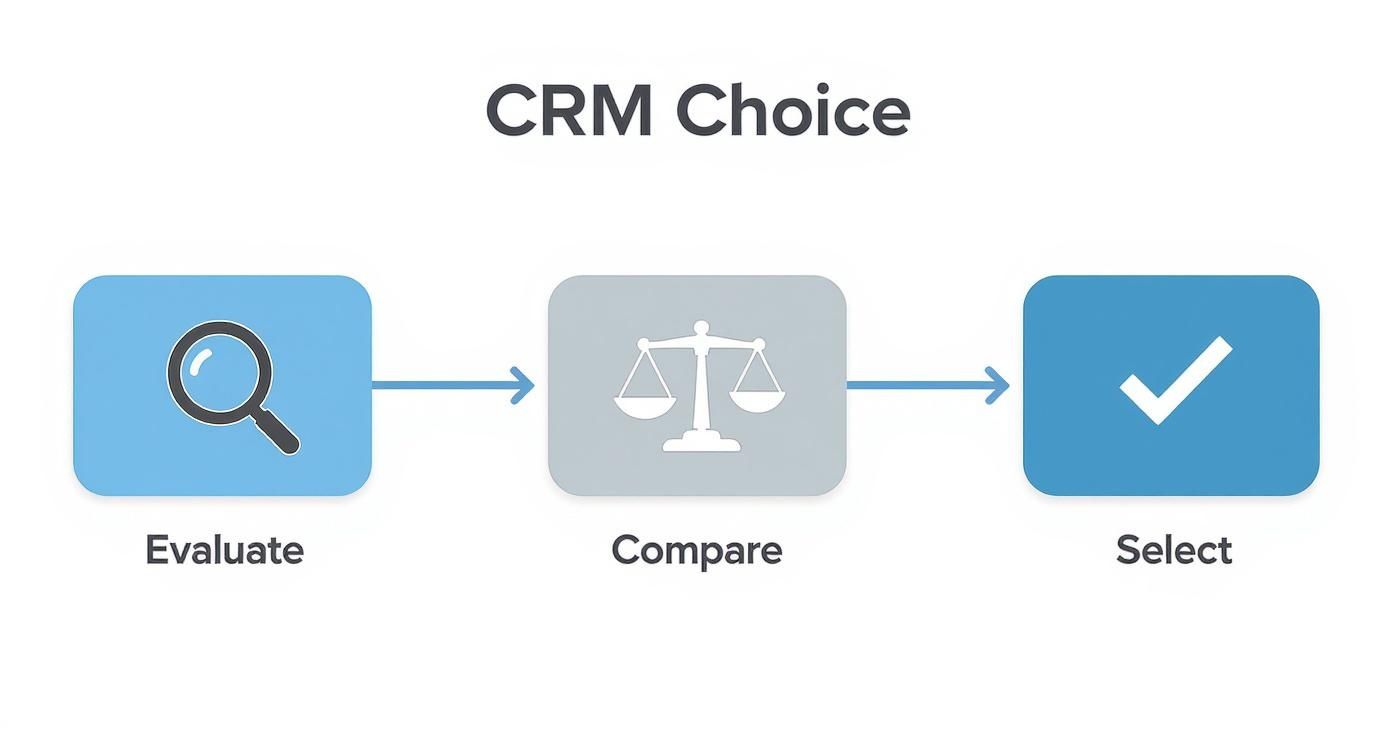
As you can see, a successful implementation begins long before you hit "go live"—it starts with a careful evaluation and selection process.
Phase 3: Customizing Workflows and Launching Smart
A one-size-fits-all CRM rarely fits anyone. You need to tailor the system to reflect how your firm actually operates. Map out your unique processes for client onboarding, annual reviews, and follow-ups, and build those directly into the CRM. If a workflow feels clunky or adds extra clicks, your team will simply find a way around it.
Instead of a big-bang launch, try a pilot program. Pick a small group of motivated advisers to test-drive the CRM for a few weeks. This gives you a safe space to iron out the kinks and gather feedback before rolling it out to everyone. This phased approach is a proven strategy in professional services, a topic we cover in more detail in our guide to CRM for agencies.
Finally, remember that training isn't a one-time event. A single launch-day workshop is never enough. Plan for ongoing, bite-sized training sessions focused on specific features that solve real problems. By providing continuous support and celebrating the small wins along the way, you’ll turn your new CRM into an essential tool your team can't imagine working without.
Real-World Workflows That Maximize Your CRM
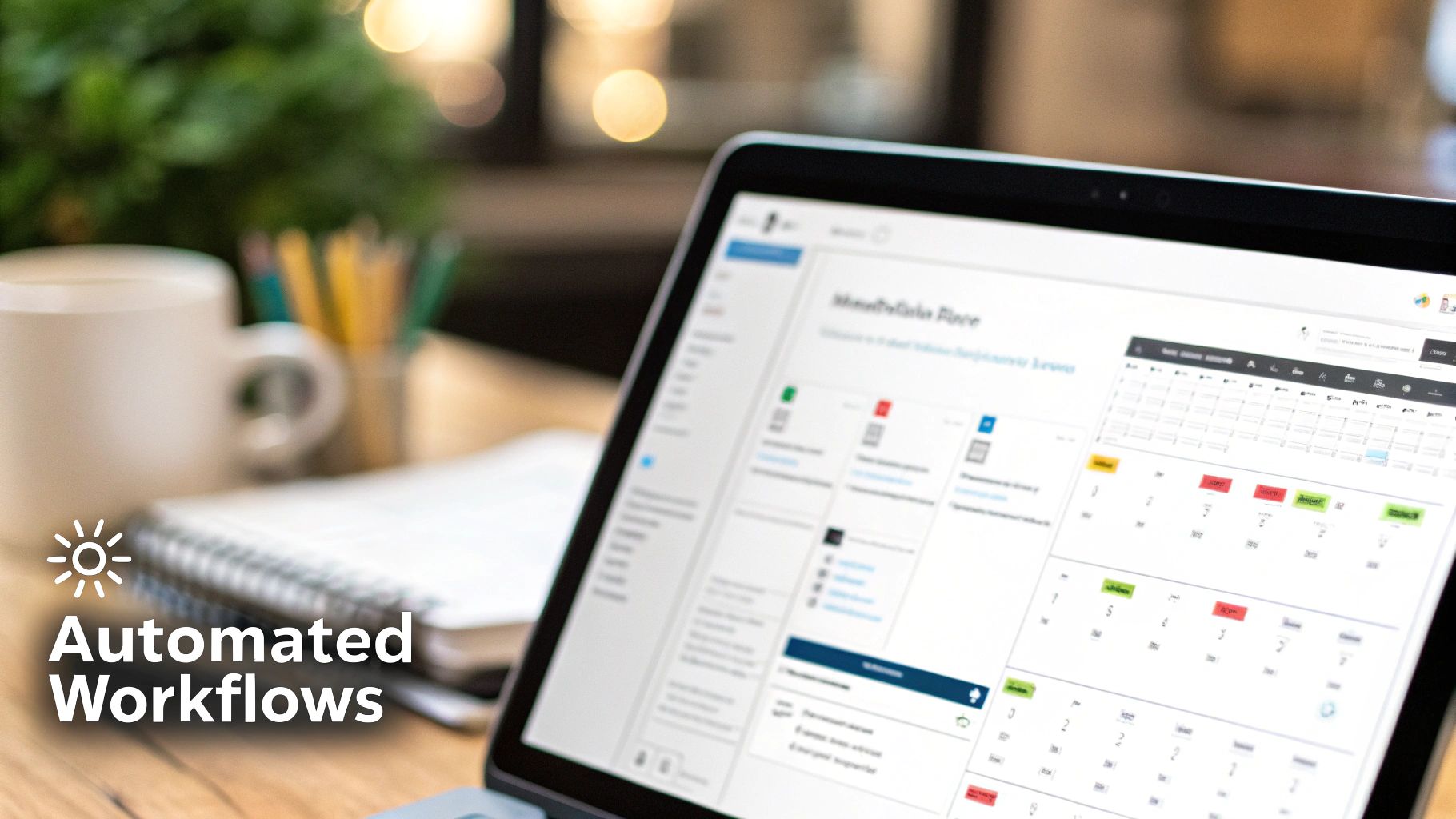
Features are one thing, but the real magic of a CRM for financial advisers happens when you see it in action. A properly set-up system does more than just hold information; it becomes the engine that powers your daily operations. Let’s look at a few practical examples to show you what I mean.
These workflows demonstrate how a good CRM can take your practice from juggling manual, error-prone tasks to delivering a consistently excellent client experience. It’s all about creating reliable systems that still feel personal.
Automating New Client Onboarding
You only get one chance to make a first impression. Your onboarding process sets the stage for the entire relationship, and a CRM can turn a clunky, paper-based checklist into a seamless, automated welcome. As soon as a prospect says "yes," you can kick off a workflow.
That single click can trigger a perfectly orchestrated sequence of events:
- Step 1: An automated welcome email goes out immediately, complete with links to your client portal and all the necessary documents for an e-signature.
- Step 2: The system automatically creates and assigns tasks to your team, like "Open Roth IRA," "Initiate ACAT transfer," and "Schedule 30-day check-in call."
- Step 3: The client's status is instantly updated from "Prospect" to "Active Client," moving them through your internal pipeline.
This kind of automation ensures nothing gets missed. Every new client gets the same professional, high-touch experience, building their confidence in your firm right from the start. You can even adapt concepts from our guide on B2B pipeline management for growing SMEs to fine-tune your client acquisition process.
Streamlining Annual Review Preparation
Getting ready for an annual review can be a real time-sink, forcing you to hunt down information from half a dozen different places. A CRM with the right integrations brings everything you need together in one simple, pre-meeting dashboard.
Your CRM should act as your second brain for client meetings. Before you walk into a review, it should present a complete picture—portfolio performance, recent life events, and past communication—all in one place.
With just a few clicks, you can get a complete view of your client, pulling in:
- Live portfolio data straight from your custodian.
- All recent notes and communication logs.
- Key life events your team has tagged (e.g., "Daughter started college," "Sold rental property").
- Any outstanding tasks or follow-up items.
This frees you up to spend less time digging for data and more time having meaningful, productive conversations. The result is a more personal and impactful meeting for your client.
Segmenting Clients for Targeted Communication
As your practice grows, it gets harder to maintain that personal touch with every single client. This is where a CRM truly shines, letting you segment your client base using specific tags and data points. It’s all about communicating with relevance.
Imagine creating dynamic lists for clients who meet specific criteria, like:
- Those approaching retirement age who need a heads-up about RMDs.
- Parents with young kids who might be interested in a webinar on 529 plans.
- Business owners who could use a chat about succession planning.
Once you have these segments, you can send targeted emails and newsletters that speak directly to their situation. This is how you strengthen relationships at scale, showing clients you understand their unique needs without having to write hundreds of individual emails.
Measuring the True ROI of Your CRM Investment
So, is a CRM for financial advisers actually worth the money? To figure that out, you need to look past the subscription fee and see the whole picture. The real value isn't just about bringing in new revenue; it's a mix of hard numbers and those game-changing improvements in how your firm actually runs day-to-day.
Think of it less as buying software and more like hiring the most efficient team member you've ever had. This one just happens to work 24/7, keeping you organized, automating the tedious stuff, and safeguarding your entire practice. To justify the cost, you’ll need to measure both the obvious financial wins and the less obvious, but equally crucial, gains in efficiency and client service.
Calculating the Tangible Returns
The easiest place to start is with the numbers you can actually count—the key performance indicators (KPIs) that directly affect your bottom line. These are the metrics that prove the CRM is helping you grow and operate more profitably. The trick is to benchmark these numbers before you get the CRM up and running. That way, you’ll have a clear "before and after" story to tell.
Here are the key financial KPIs you should be tracking:
- Increased Assets Under Management (AUM): A good CRM makes you better at nurturing leads and spotting new opportunities with your current clients. This should lead directly to measurable growth in your AUM.
- Higher Client Retention Rates: Think about it. Automating birthday reminders and annual review prompts, and having deep client insights at your fingertips—this is how you build loyalty. Even a tiny bump in client retention has a massive long-term impact.
- Reduced Client Acquisition Cost (CAC): When your marketing and follow-up processes are running smoothly inside a CRM, you're not letting prospects fall through the cracks. You convert them more efficiently, which lowers what it costs to bring each new family on board.
- Revenue Per Client: Having a 360-degree view of a client’s financial world makes it much easier to spot their needs and offer the right services, boosting the value of each relationship.
Valuing the "Soft" ROI
Some of the biggest payoffs from a CRM won't ever show up neatly on a spreadsheet, but they're just as real. This "soft" ROI is all about getting back your most precious resource: time. It's also about building a stronger, more stable foundation for your firm's future.
The soft ROI of a CRM is where true operational excellence is born. It's the time saved on administrative tasks that you can now spend with clients, the compliance headache you no longer have, and the peace of mind that comes from a well-organized practice.
Don't overlook these incredibly valuable gains:
- Time Saved on Administrative Tasks: Just stop and think about all the hours your team wastes manually logging emails, prepping for meetings, or pulling reports. Automating that work can easily free up dozens of hours every single month for things that actually matter.
- Reduced Compliance Risk: A CRM built for advisers creates an automatic, unchangeable audit trail. This isn't just a nice-to-have feature; it's a shield that can protect you from huge fines and damage to your reputation.
- Improved Client Satisfaction: When anyone on your team can pull up a client's complete history in seconds, your service becomes quicker, more personal, and far more consistent. This is how you build the kind of deep trust that turns clients into your biggest fans.
Got Questions? We’ve Got Answers.
Choosing a CRM is a big decision, and it’s natural to have a few questions swirling around. When you’re dealing with people's financial futures, you want to be absolutely sure you're making the right call. Let's break down some of the most common things advisers ask.
Is My Client's Information Really Safe in a Cloud-Based CRM?
This is usually the first—and most important—question on every adviser's mind. And it should be. The good news is that a reputable, industry-specific CRM provider has likely invested far more in security than any individual firm ever could.
These companies live and breathe compliance. They know the stakes are high, so they build their platforms with robust defenses.
Look for a provider that can tick these boxes:
- Bank-grade encryption protecting data whether it's sitting on a server or moving across the internet.
- Multi-factor authentication (MFA), which is a non-negotiable layer of protection against unauthorized logins.
- Granular access controls, so you decide exactly who on your team can see and do what.
- Regular security audits from independent third parties to constantly test and validate their systems.
The bottom line? Storing data with a top-tier CRM vendor is almost always safer than keeping it on a local server in your office or, worse, in a bunch of spreadsheets.
How Painful Is It to Move Over from Our Old System?
The thought of moving years of client data can be daunting. It’s easy to imagine a technical nightmare, but a successful migration is less about IT wizardry and more about good old-fashioned planning.
Most CRM companies have teams dedicated to helping you make the switch. They've seen it all and can guide you through mapping your old data fields to the new ones and ensuring everything lands in the right place.
Your data migration will be 90% preparation and 10% execution. The single most important thing you can do is clean up your existing data before you start. A well-organized spreadsheet is your best friend here.
Don't try to do it all at once. Start cleaning up your client lists and notes early. Ask for a small test migration to see how it works, and don't be afraid to lean on your vendor's team. They've helped hundreds of firms just like yours get it done right.