In the world of B2B sales, your CRM and CPQ systems are the one-two punch that turns prospects into profitable customers. Think of your CRM (Customer Relationship Management) as the team's shared brain, holding every detail about your customers. Then, you have your CPQ (Configure, Price, Quote) tool, which acts as the master architect, building the perfect deal every single time.
When they work in tandem, you get a smarter, faster, and more accurate sales engine.
What Are CRM and CPQ and Why Do They Matter
Let's break down what each system does and why you can't really have one without the other for complex B2B sales. If your sales process is like telling a story to each customer, the CRM provides the rich backstory and character development, while the CPQ crafts the compelling final chapter that closes the deal.
The Role of CRM: The Relationship Builder
At its core, a CRM is the single source of truth for your entire sales organization. It’s where you capture, organize, and track every single interaction a customer has with your business.
This isn't just a fancy digital address book. A good CRM holds:
- Contact Information: Names, emails, phone numbers, and job titles.
- Communication History: A complete log of calls, emails, and meetings.
- Deal Status: A clear view of where every opportunity sits in your sales pipeline.
- Account Details: Company size, industry, and past purchase history.
By bringing all this information together, your CRM gives your team the full picture—the "who" and "why" behind every conversation. This context is absolutely critical for building real, lasting relationships. It's no wonder that companies using CRM see an average 29% increase in revenue and a 34% boost in productivity.
The Role of CPQ: The Deal Architect
While the CRM is all about the relationship, the CPQ system is all about the deal itself. It’s a specialized tool built to handle complex products, services, and pricing models with precision and speed.
Here’s what it does:
- Configure: It guides your sales reps through complex product catalogs, making sure they select valid combinations and add-ons that actually work together. No more guesswork.
- Price: It automatically calculates the correct price by applying discounts, promotions, and regional rules. This ensures every quote is both competitive and profitable.
- Quote: It instantly generates a professional, accurate, and branded proposal document ready to send to the customer.
A CPQ system tackles the complex "what" and "how much" of the sales process. It takes all that valuable customer knowledge from the CRM and turns it into a concrete, error-free offer. It's the logic engine that eliminates costly manual mistakes.
If your sales team knows your customers inside and out but still struggles to put together accurate quotes quickly, it’s a classic sign that you need a better system. Sometimes, exploring options for customized CRM software is the first step, as it can highlight where the quoting process is breaking down.
Ultimately, a tight CRM and CPQ partnership is what lets you build a truly efficient and scalable sales machine.
CRM vs CPQ At a Glance
To put it simply, CRM manages the who and why, while CPQ handles the what and how much. Here's a quick breakdown of their distinct roles.
| Function | CRM (Customer Relationship Management) | CPQ (Configure, Price, Quote) |
|---|---|---|
| Primary Goal | Manage and nurture customer relationships. | Generate accurate and professional sales quotes. |
| Core Focus | Contacts, accounts, leads, opportunities, and communication history. | Products, pricing rules, discounts, and proposal documents. |
| Sales Stage | Top to bottom of the sales funnel—from lead to close and beyond. | Mid-to-late stages, when a formal quote is needed. |
| Key User | Sales reps, marketing teams, customer service agents. | Primarily sales reps and sales operations. |
| Main Benefit | Provides a 360-degree view of the customer. | Ensures quote accuracy, speed, and profitability. |
While they serve different functions, it's their integration that creates a seamless flow from initial contact to a signed contract, eliminating friction for both your sales team and your customers.
How Integrating CRM and CPQ Streamlines Your Sales Cycle

Picture your sales process without the usual speed bumps. No more flipping between spreadsheets to find customer details or manually copying information from one system to another. Bringing your CRM and CPQ systems together makes this smooth workflow possible. It closes the loop between knowing your customer and crafting the perfect offer for them.
Let’s walk through a common scenario. A sales rep, Sarah, has been working a promising lead in her CRM. After a few great calls and a solid demo, the lead is officially a qualified opportunity. It’s time to send a proposal.
In the old days, this is where everything would grind to a halt. Sarah would have to manually transfer account details, product SKUs, and pricing notes into a separate quoting tool or a clunky spreadsheet. Not only was this process a time-sink, but it was also a breeding ground for costly mistakes.
From Opportunity to Quote in a Single Click
With an integrated system, Sarah’s experience is completely different. Right from the opportunity record in her CRM, she can click a button like "Create Quote." That one click kicks off the CPQ tool, but it’s not starting from scratch.
Instantly, the CPQ is populated with all the crucial customer information, pulled directly from the CRM. This includes:
- Company Name and Contact Information: The basics are filled in, ensuring accuracy right off the bat.
- Account History: Past purchases and communication logs provide valuable context for the new quote.
- Specific Needs: Key details from discovery calls are right there, helping guide the product selection process.
This automatic handoff gets rid of the boring admin work. More importantly, it ensures the quote is built on the latest and most accurate customer data you have. This is a critical element of effective B2B pipeline management, as it removes the bottlenecks that so often delay proposals.
Guided Selling and Automated Pricing
Now that Sarah is in the CPQ, she isn't flying blind. The system actually uses the data from the CRM to make smart recommendations. For example, because the CRM notes the customer is in the manufacturing industry, the CPQ might suggest product bundles or add-ons that are popular with similar companies.
As Sarah puts the solution together, a rules-based engine in the CPQ works in the background, preventing her from picking incompatible products or services. Once everything is configured, the pricing is applied automatically.
The real magic is how the integration applies the correct pricing rules, customer-specific discounts, and any active promotions without anyone lifting a finger. This consistency protects your profit margins on every single deal.
The final step is creating the actual proposal document. With another click, the CPQ generates a professional, on-brand document with accurate product descriptions and pricing. A task that used to take an hour of tedious work is now finished in just a few minutes. This seamless connection between CRM and CPQ doesn't just speed up the sales cycle; it frees up your sales team to focus on what they do best—building relationships and closing deals.
The Real-World Business Impact of a Unified System

While the technical details are important, the real magic of a CRM and CPQ integration shows up on your company’s bottom line. When you combine these two systems, you’re not just connecting software; you’re building an engine for revenue growth that tackles the most common B2B sales roadblocks head-on. It turns customer data from a passive file into an active, deal-closing tool.
The first thing most teams notice is how much faster the sales cycle gets. We’ve all seen deals stall at the quoting stage—it's a notorious bottleneck. Automating this step means your team can whip up a detailed, accurate proposal in minutes, not days. That speed lets you strike while the iron is hot, capturing a prospect's interest at its peak and getting to a "yes" much faster.
Driving Revenue and Accuracy
But it’s not just about speed. A unified system makes your deals bigger and better. By tapping into the customer’s history right from the CRM, the CPQ can act like a smart assistant, suggesting relevant upsells and cross-sells. It might prompt a rep with a compatible product bundle or a premium service tier that the customer’s profile suggests they’d value.
The numbers back this up. Integrating CPQ functions with a CRM often leads to companies reporting an average deal size increase of 10% to 15%. This boost comes from making every proposal more consistent and data-driven. You can discover more CRM statistics and trends on DesignRush to see the wider impact.
This approach also stamps out costly human errors. Let's be honest, manual quotes are often riddled with mistakes—wrong pricing, incompatible product combos, or forgotten discounts. An integrated CPQ acts as a guardrail, automatically enforcing your pricing rules and ensuring every quote is 100% accurate. Your profit margins are protected, and you look far more professional.
Example in Action: Think of a mid-sized manufacturing company with a sprawling product catalog. They were taking over 48 hours just to turn around a quote. After integrating their CRM and CPQ, they cut that time by a massive 75%, getting quotes out in just a few hours. This meant they could jump on RFPs faster and started winning a lot more competitive bids.
Achieving a 360-Degree View of Your Pipeline
Ultimately, combining CRM and CPQ gives you that elusive 360-degree view of your entire sales pipeline. Every single quote is automatically linked back to its opportunity in the CRM, creating a single source of truth that everyone from sales reps to the C-suite can rely on.
This unified view unlocks several huge strategic advantages:
- More Reliable Forecasting: Sales leaders can see precisely which deals are in the quoting stage and their potential value. This makes revenue predictions far more accurate.
- Improved Sales Performance: Managers can pinpoint which reps are nailing guided selling to increase deal size and then share those winning tactics with the rest of the team.
- Enhanced Visibility: Leadership gets a crystal-clear picture of which products are being quoted most often and at what price points, which is invaluable for future strategy.
By connecting what you know about your customers with the logic of how you sell, you give your team exactly what they need to close more deals, more profitably.
The Future of Sales: AI-Powered CRM and CPQ
The combination of CRM and CPQ has already changed the game for B2B sales teams, but the next big leap is being driven by artificial intelligence. AI is pushing the sales process from reactive to predictive, turning the data you already have into an intelligent guide that anticipates what customers want and helps you craft the perfect deal.
This isn't just about speed; it's about making your sales process smarter.
Imagine a system that goes beyond simply following pricing rules. An AI-powered CPQ can dive into a customer's history in the CRM, stack it up against thousands of other successful deals, and then proactively suggest the product bundle most likely to close. It can even recommend the ideal discount to seal the deal without giving away too much margin.
From Automation to Intelligence
This shift toward AI is already making waves. The CPQ software market, valued at $2.2 billion in 2022, is on track to hit $7.3 billion by 2030, and a huge part of that growth is coming from AI adoption. This tells us businesses aren't just looking for basic automation anymore; they want predictive insights. You can read more about key market trends on CPQ.se to get a feel for where the industry is heading.
Adding this intelligent layer to your CRM and CPQ integration unlocks some seriously powerful new abilities:
- Predictive Upselling: AI can spot subtle patterns in customer data to identify cross-sell and upsell opportunities that a human rep might easily overlook.
- Dynamic Pricing: The system can adjust prices on the fly based on deal size, customer type, or even market conditions to put the most attractive offer on the table.
- Conversational Quoting: Think AI-powered chatbots that can walk a customer through the configuration process, letting them generate their own quotes instantly, any time of day.
Getting Ready for a Smarter Sales Future
This future isn't some far-off concept; it’s being built right now. An AI-infused CRM and CPQ platform creates a deeply personalized and intelligent sales experience that can truly set your business apart. Your system stops being a simple document generator and becomes a strategic partner for your sales team, offering data-backed advice every step of the way.
By integrating AI, you move beyond simply quoting what a customer asks for. The system starts to anticipate what a customer needs, guiding them toward a better solution and a bigger deal for your business.
This new frontier is all about taking the deep customer knowledge stored in your CRM and applying an intelligent CPQ layer that doesn't just configure, price, and quote—it advises, predicts, and optimizes. The businesses that embrace this shift are the ones who will lead the pack.
Your Step-By-Step Integration Plan
Successfully bringing your CRM and CPQ platforms together isn’t a one-day tech project; it’s a carefully planned journey. Breaking it down into clear, manageable stages is the key to a smooth rollout that delivers real value without causing chaos for your team. This roadmap will walk you through the process and set you up for success right from the start.
1. Map Your Current Sales Process
Before you can improve anything, you need to know exactly what you're working with. Sit down and document every single step of your sales cycle, from the moment a lead comes in to the final quote and signed contract.
Make sure you involve your top sales reps in this. They're the ones in the trenches who know the real-world bottlenecks and clever workarounds that a simple flowchart would never show. This initial mapping will quickly highlight the pain points. Are quotes taking forever to build? Are pricing errors costing you money? Answering these questions gives you clear goals for the integration.
2. Prepare and Clean Your Data
Let’s be blunt: your shiny new system will be useless if you feed it junk data. Things like duplicate contacts, incomplete customer records, or outdated product lists are the number one reason these projects fail to deliver a return.
A successful integration is built on a single source of truth. You absolutely must take the time to merge duplicate contacts, standardize your data fields, and archive old, irrelevant records in your CRM. This cleanup work is non-negotiable, but it pays for itself tenfold down the line.
3. Choose The Right Tools and Plan The Technicals
Once your data is clean and your goals are clear, you can confidently pick your software. Look for CRM and CPQ providers that offer pre-built integrations or have powerful, well-documented APIs. For many B2B companies, this is just one piece of a bigger puzzle. If you're thinking about how these tools connect to your finance and operations software, understanding the world of ERP and CRM integration will give you a much clearer view of your overall data strategy.
Next, it's time to get technical. Work with your IT team or a trusted integration partner to map out the specifics. You need to define exactly which data fields will sync between the systems. For example, should a customer's discount level in the CRM automatically apply to every quote in the CPQ? A detailed plan like this is your best defense against scope creep and nasty surprises later.
This is where the magic happens. Data from your CRM can feed an intelligent engine to generate accurate quotes almost instantly.
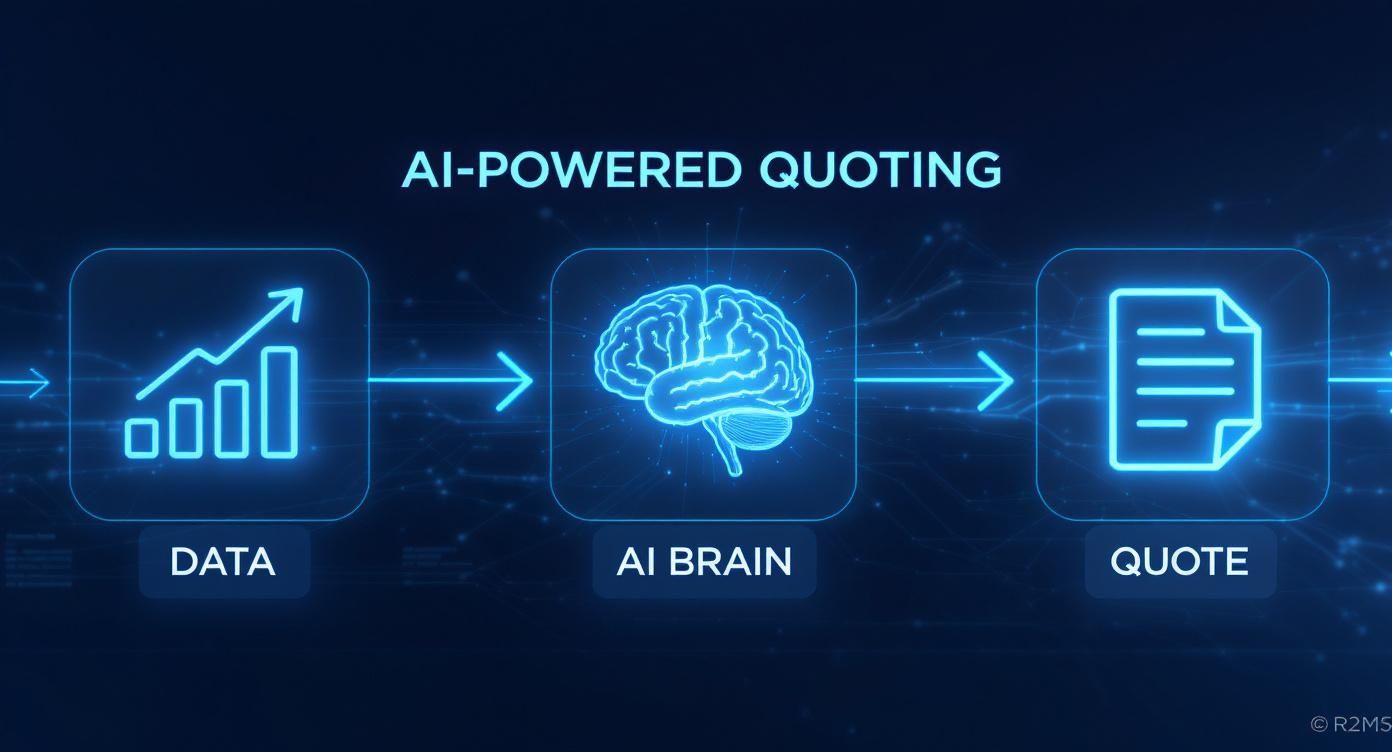
This kind of automated flow shows how a connected CRM and CPQ system can turn customer information into a polished, sales-ready proposal with very little manual work.
4. Create A Phased Rollout Plan
A successful implementation isn’t a single event—it’s a series of well-managed steps. Thinking in phases helps you manage complexity, get early wins, and adjust your approach based on real-world feedback.
Here’s a look at the key milestones you'll want to hit:
| Phase | Key Actions | Success Metric |
|---|---|---|
| Discovery & Planning | Map sales process, define integration goals, audit data quality. | A documented project plan with clear objectives is signed off. |
| Data Preparation | Clean, de-duplicate, and standardize all CRM and product data. | Data error rate drops below 5% before migration. |
| Technical Setup | Configure API connections, map data fields, build sync logic. | A successful test sync of data between systems with no errors. |
| Pilot Program | Train a small group of power users, gather feedback on the workflow. | Pilot users can create and send a quote 50% faster than before. |
| Full Launch & Training | Train the entire sales team, go live, and provide support. | 90% of the sales team actively using the integrated system within 30 days. |
This phased approach ensures you're building on a solid foundation at every step, making the final rollout much smoother for everyone involved.
5. Train Your Team and Go Live
Finally, you can't just drop a new system on your team and hope for the best. You need a solid training plan that focuses on the "why" behind the change, not just the "how-to" clicks. Show your sales reps how this new, connected workflow will genuinely save them time, reduce headaches, and help them close more deals.
A great strategy is to start with a small pilot group. Let them test drive the system, find any quirks, and provide feedback. Once you've ironed out the kinks, you can roll it out to the entire company with confidence.
Common Mistakes to Avoid and How to Measure Success
Even the most powerful software in the world can't fix a broken strategy. When you're bringing CRM and CPQ systems together, there are a few common pitfalls that can easily send your project off the rails and kill your expected ROI. Steering clear of these mistakes is just as critical as the initial setup.
Watch Out for These Common Pitfalls
The single biggest error we see? Starting with dirty data. If your CRM is a mess of duplicate contacts, outdated opportunities, and incomplete account info, your CPQ will spit out garbage quotes. It’s a classic "garbage in, garbage out" problem. The fix is simple, but it’s not optional: dedicate time to cleaning and standardizing your data before you connect anything. Think of it like laying the foundation for a house—you can't build something stable on shaky ground.
Another classic mistake is designing pricing rules that are way too complex. Your CPQ can handle some seriously intricate logic, sure, but your sales reps are the ones who have to live with it every day. If the rules are a tangled mess, your team will inevitably find workarounds, which completely defeats the purpose of having the system in the first place. Keep your pricing structures as straightforward as you can.
The whole point is to empower your sales team, not bury them in complexity. A system that’s a headache to use is a system that won’t get used.
Finally, don't skimp on training. This is a guaranteed recipe for failure. You can't just show your team where to click. You need to explain the why—how this new, integrated workflow makes their jobs easier, helps them build better quotes, and ultimately, lets them close more deals, faster.
Proving the Project Was Worth It
Once you're up and running, you have to prove the investment was worth it. That means tracking the right Key Performance Indicators (KPIs) to see the real-world impact on your sales process. Keeping a close eye on these numbers will not only demonstrate clear ROI but also help you tweak things over time for even better results.
Focus on these three core metrics:
- Quote Turnaround Time: How long does it actually take a rep to generate and send a quote from the moment a customer asks for one? A sharp drop in this time is a fantastic early win.
- Quote-to-Close Ratio (Win Rate): What percentage of the quotes you send actually turn into paying customers? With more accurate, professional quotes going out the door faster, this number should climb.
- Average Deal Size: Are your deals getting bigger? With guided selling and smart upsell suggestions built right into the workflow, you should see the average value of your closed deals start to tick up.
By tracking these KPIs, your CRM and CPQ integration stops being just a tech project and becomes a measurable business strategy that pays for itself.
Common Questions About Bringing CRM and CPQ Together
Thinking about connecting your CRM and CPQ systems? You're not alone, and it's smart to have questions. Let's walk through some of the most common ones we hear from business leaders to clear things up.
Can We Just Use a CPQ System on Its Own?
Technically, yes, but it's a really bad idea. Running a CPQ by itself means your sales team has to punch in customer and deal information by hand every single time they create a quote. It's a recipe for wasted time and costly typos.
The whole point of a CPQ is to speed things up and make quoting foolproof. When it's connected to your CRM, it automatically grabs all the correct customer info, creating a smooth, error-free path from conversation to proposal. It gives you one reliable source of information for everything sales-related.
Which One Should We Set Up First, CRM or CPQ?
Almost always, you should start with the CRM. Your CRM is the backbone of your entire sales operation—it’s where you manage customer relationships, keep track of deals, and see your pipeline. It’s the engine for all your customer data.
Think of it like this: your CRM is the foundation and frame of a house. Trying to add a CPQ without a solid CRM in place is like trying to install windows before the walls are built. It just doesn't work.
Get your CRM up and running first. Once your team is using it consistently and the data inside is trustworthy, then you can layer on a CPQ to supercharge your quoting process.
How Long Does It Actually Take to Integrate Them?
The timeline really depends on how complex your business is. For a smaller company with a simple product list and pricing, a basic integration can often be done in about 4 to 8 weeks.
On the other hand, a larger enterprise with thousands of product variations, custom pricing rules, and layers of approvals could be looking at a project that takes 6 months or more. A successful, on-time integration comes down to having a clear plan, setting realistic goals, and rolling it out in stages to catch any issues early.