Implementing a CRM doesn’t have to feel like running a gauntlet. By slicing the project into focused phases, your B2B team can hit every milestone with confidence and clarity.
Quick Guide To CRM Implementation
Start by picturing five clear stages, each with its own goal and deliverables.
- Planning: Nail down your objectives, sketch out the budget, and agree on realistic deadlines.
- Data Migration: Clean up existing records, map fields in a sandbox, then run a validation pass.
- Customization: Adjust data fields, build workflows, and encode business rules that mirror how your team works.
- Training: Pair role-specific sessions with hands-on workshops, then keep support channels open.
- Performance Tracking: Define key metrics, watch adoption rates, and measure ROI on a weekly cadence.
Summary Of CRM Implementation Phases
Here’s a side-by-side look at each phase—what you’re aiming for, how long it usually takes, and who needs to be in the room.
| Phase | Objective | Timeline | Key Roles |
|---|---|---|---|
| Planning | Align goals and budget | 3–4 weeks | PM, Sponsor |
| Data Migration | Transfer and validate records | 2–3 weeks | IT, Analyst |
| Customization | Configure workflows | 4–6 weeks | Admin, IT |
| Training | Ramp up user proficiency | 2–3 weeks | Trainer, Champion |
| Tracking | Review KPIs and feedback | Ongoing | PM, RevOps |
Keep this overview at hand as your roadmap for the pilot phase.
Market Trends And Insights
CRM isn’t just another tool—it’s a massive market that’s projected to hit $112 billion by 2025 and swell to $262 billion by 2032 at a 12.8% CAGR. Today, 91% of mid-sized firms use a CRM and 87% run it in the cloud (up from 12% in 2008).
Yet under 40% ever see a full rollout, mainly because they underestimated training needs. A quarter of teams cite user adoption as their top hurdle. If you earmark 20–30% of your budget for training and launch a pilot in 3–6 months, you can expect about $8.71 back for every dollar spent. For a deeper dive, check out these CRM Statistics and Market Insights for 2025 from Kixie.
Infographic Visualization
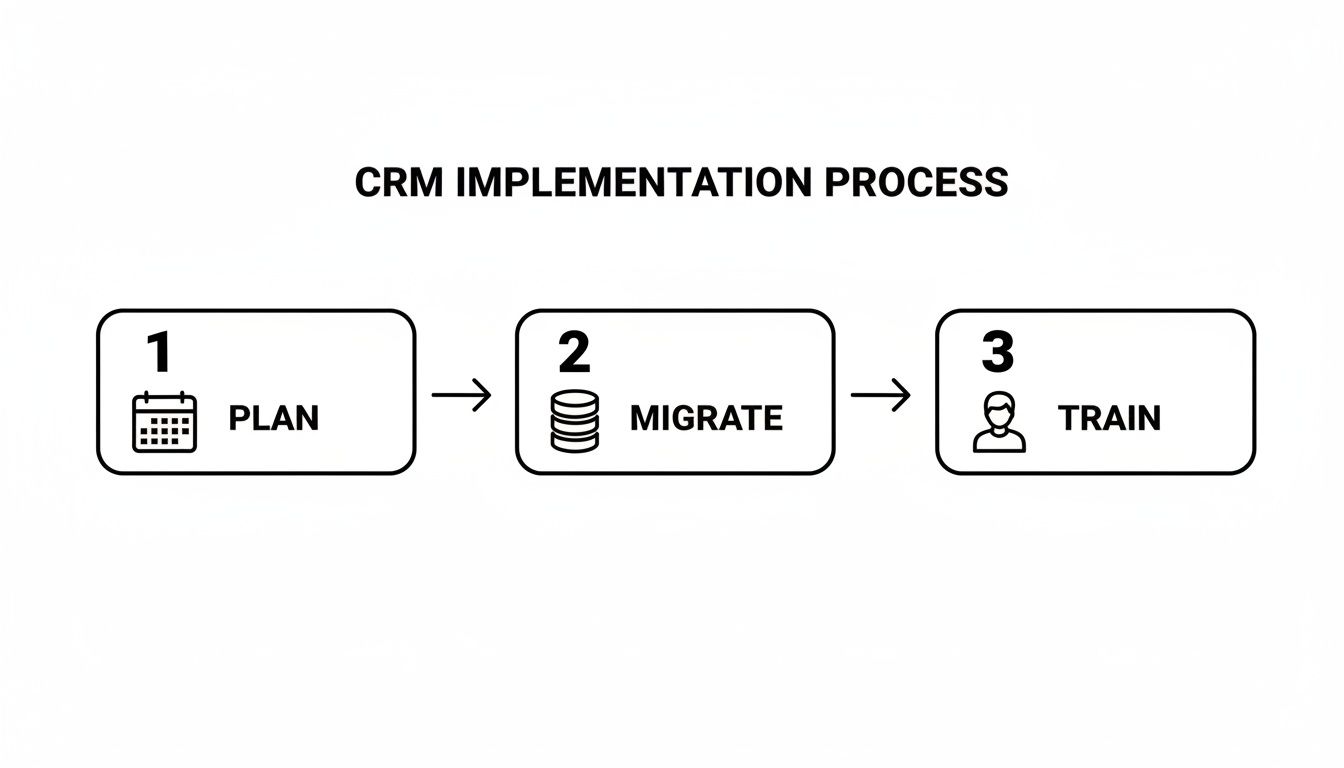
The chart lays out how planning and customization take the lion’s share of time, while training ramps up smoothly once your data’s in place.
Key Insight: Piloting early uncovers workflow gaps before they become costly.
- Assign clear ownership for each phase to keep momentum.
- Kick off a pilot within six months using your roadmap.
- Review KPIs weekly—watch adoption, data quality, and ROI.
- Schedule governance checkpoints to make timely decisions.
- Rally internal champions to drive adoption across teams.
- Automate routine tasks early to showcase CRM value immediately.
- Integrate with email and support systems for a 360° view.
- Dedicate 20% of your rollout budget to change management.
Planning Your CRM Implementation

A clear roadmap makes the difference between a CRM project that thrives and one that stalls. Start by defining objectives, budgets, and milestones so everyone stays on the same page.
Key Planning Elements:
- Objectives linked to revenue growth and customer satisfaction
- Budget with a 10–15% contingency buffer
- Timelines mapped to realistic milestones
- Success Metrics tied directly to KPIs
Set Goals And Define Metrics
Kick off by nailing down targets, like boosting lead conversion by 20% in six months. Track customer sentiment with measures such as Net Promoter Score improvements. Every metric you choose should connect back to revenue, support, or other core business goals.
“Metrics drive focus and accountability, ensuring every feature aligns with your business case.”
Prioritize Use Cases And Allocate Budget
Focus on the workflows that deliver quick wins. For instance, automating lead assignment can reclaim 15% of your sales reps’ time.
Group your feature requests into categories:
- Must Have Use Cases
- Should Have Use Cases
- Could Have Use Cases
This approach guarantees the essentials get the green light, while a buffer of 10–15% covers unexpected expenses.
Outline Phases And Governance Checkpoints
Split your rollout into manageable parts and schedule quick review gates. Typical phases include:
- Pilot Team Deployment
- Core Team Expansion
- Company-wide Rollout
After each phase, pause to review scope changes, log risks, and document next steps. In my experience, these mini-gates turn roadblocks into learning moments rather than project killers.
When I worked with a mid-sized service firm, a two-week pilot validated data flows and secured budget for the next phase.
Bullet Tips for Smoother Governance:
- Rotate ownership among functional leads
- Use a shared dashboard for real-time tracking
- Schedule monthly steering meetings
- Capture issues with clear action items
Draft Project Charter
Your project charter is the north star—capturing scope, roles, and timelines in one place. It aligns stakeholders and locks in key assumptions.
| Section | Details |
|---|---|
| Project Name | CRM Rollout |
| Scope | Sales, Marketing, Service |
| Timeline | Q3 to Q4 |
Each checkpoint in this charter gives teams a moment to celebrate progress and realign objectives.
Set Realistic Timelines
Timebox every phase based on team capacity and system complexity:
- 4 Weeks for configuration and custom fields
- 3 Weeks for data migration and validation
- 2 Weeks for pilot testing and feedback loops
- 3 Weeks for full rollout and training
Adjust these windows around holidays or key events. Publish dates in a shared calendar and fire off reminders two weeks ahead.
A transparent schedule anchors every action and builds confidence across the board. With objectives, budget, charter, and timelines in place, you’re ready to tackle stakeholder mapping, data audits, and workflow refinement in the next section.
Mapping Stakeholders And Defining Success Criteria
Getting everyone aligned early prevents surprises later. Before you dive into configurations, pin down who’s driving what—and why it matters. When roles are muddy, timelines stretch and enthusiasm dips.
On one project, a financial firm realized months into the build that support workflows weren’t even in scope. They scrambled to rework their CRM maps—and lost precious momentum.
To avoid that trap, sketch out the main teams and their unique perspectives:
- Sales team maps out pipeline forecasts and highlights priority deals.
- Marketing defines lead scoring rules and campaign goals that fuel the funnel.
- Support documents post-sale workflows and common case handoffs.
- IT vets integration points, security protocols, and system performance.
- RevOps bridges departmental handoffs and refines those critical transitions.
Clarifying Roles And Responsibilities
Visual tools cut through confusion. A simple decision matrix shows who makes which calls and who’s in the loop.
| Role | Influence | Engagement Level |
|---|---|---|
| Sales | High | Active |
| Marketing | High | Active |
| Support | Medium | Advisory |
| IT | Medium | Consultation |
| RevOps | Low | Coordination |
In one case, a cross-functional steering group trimmed approval cycles by 30%.
Pair this matrix with a brief communication plan:
- Weekly email summary of wins, blockers, and next steps.
- Biweekly calls with executive sponsors to clear roadblocks.
- A shared dashboard that tracks real-time progress.
To tighten decision rights, lean on a RACI framework:
- Responsible executes tasks and delivers results.
- Accountable signs off on final outputs.
- Consulted offers expertise and feedback.
- Informed stays updated without direct decision power.
Defining Measurable Success Criteria
Tie metrics directly to business goals and user adoption. Here’s a solid baseline:
- Data accuracy at 98% to maintain clean records.
- Lead conversion up 20% within six months of go-live.
- User satisfaction scoring 85% positive in surveys.
- Pipeline cycle time reduced by 10% on average.
Table Success Criteria And Related KPIs
| Criteria | KPI |
|---|---|
| Data Accuracy | 98% record integrity |
| Lead Conversion | 20% uplift |
| User Satisfaction | 85% survey rate |
| Pipeline Velocity | 10% faster cycle |
Keep this table front and center whenever you discuss targets. And when scope shifts, revisit these numbers to stay aligned and keep improving.
A small manufacturing firm followed this playbook. Within three months:
- Qualified leads jumped by 40%.
- Workshops uncovered three critical process gaps, slashing response times.
- A real-time dashboard drove a 15% rise in user adoption.
- Sponsors used clean KPI reports to secure the next funding round.
Early alignment transformed a disjointed rollout into a cohesive, high-impact launch.
As your business evolves, review metrics in governance meetings, update your matrix after major changes, and celebrate small wins to keep teams motivated.
Mapping stakeholders and setting clear success measures paves the way for a smooth CRM journey.
In the next section, you’ll move into auditing data and planning your migration path.
Conducting Data Audit And Planning Migration
A clean dataset is the bedrock of any CRM rollout. Legacy records often hide errors, duplicates, and outdated entries that can derail your system from day one.

Preparing Legacy Data
First, export each table into a sandbox environment so you can work without threat of breaking production.
Then, run bulk cleaning to normalize dates, phone formats, and address fields. Tools like OpenRefine can resolve 73% of formatting issues in minutes.
When you’re dealing with very large tables, split your exports into chunks of about 100,000 records to keep timeouts at bay.
Cleaning And Deduplication
Duplicates skew reporting and frustrate users. To catch them, match on a combination of:
- Email address
- Account or customer number
- Phone number
Merge duplicates using clear rules: preserve the latest activity date, roll up any custom notes, and archive the older record.
“We handled 500,000 merged contacts without losing a single record,” recalls a professional services lead.
Mapping Fields For Seamless Transfer
Field mismatches are the silent killers of workflows and reports. Build a simple mapping table that aligns your source columns with the CRM schema:
| Source Field | Target Field | Data Type |
|---|---|---|
| contact_email | Text | |
| phone_number | Phone | Phone |
| created_at | SignUpDate | DateTime |
This exercise usually uncovers hidden variations—like “E-mail” vs. “email”—before they cause headaches.
Testing Backup And Rollback Plans
Before you touch production, snapshot your cleaned data. These backups serve as your safety net.
Run trial migrations in a private sandbox to verify record counts and catch schema mismatches early. Document the exact conditions that trigger a rollback—missing critical fields or a variance over 0.1% in total records are good examples.
Migration Checklist And Go-Live Validation
Keep a visible, shared checklist so everyone knows where you stand. A typical timeline looks like this:
- Export raw tables from all systems – 1 week
- Clean and dedupe data – 2 weeks
- Map fields and unit test – 1 week
- Trial migration in sandbox – 3 days
- Final import and validation – 2 days
Once you’re live, run daily record counts, spot-check key reports, and walk through sample user scenarios for the first week.
Check out our guide on Excel to Database Migration for detailed export tips and scripts.
Post Launch Optimization
In the first 30 days, monitor:
- Field completeness percentages
- Error rates per record
- New duplicates creeping in
Tweak your ETL scripts to address any fresh patterns and schedule monthly cleanups to keep the data crisp. Enrich records with firmographics—like company size or industry—to unlock smarter segmentation. Finally, set up automation rules that flag missing fields and notify admins immediately.
Key Tip: Clean early, test often, and treat your rollback plan as a non-negotiable safety net.
Common Pitfalls To Watch
Skipping sandbox trials can leave you nursing broken automations in production.
Underestimating the time needed for cleanup often bleeds into customization, delaying go-live.
Relying solely on manual fixes guarantees inconsistent records down the road.
Neglecting backup retention windows means you might not have the right snapshot when you really need it.
Mitigate these risks by writing scripts in advance, automating validation checks, and looping in IT on storage and retention policies.
Case Study Success
One consulting firm migrated 500,000 contacts from an aging CRM in under two weeks. They:
- Automated field mapping with scripts
- Held daily sync meetings
- Tested in parallel sandboxes
Post-import audits showed zero data loss. End-user surveys reported a 92% satisfaction score with data accuracy.
That experience proved beyond doubt that a thorough audit, precise mapping, and rock-solid rollback plans are essential. With your data migration behind you, it’s time to configure workflows and integrations next. Let’s dive into that.
Customizing Workflows And Integrations
Off-the-shelf CRM settings almost never cover every nuance of your sales and support cycles. Tweaking workflows to mirror how your team actually works keeps everyone on the same page.
At one lean tech startup I advised, integrating Slack channels with lead alerts slashed response times and fueled a 25% increase in client engagement. Real-time nudges can make all the difference.
Configuring Custom Fields
Custom fields capture the details your reps really need. Start by auditing existing forms and then:
- Add fields for account tier, deal size and product interest
- Use dropdowns to cut down on typos
- Group related inputs under clear tabs
- Provide concise help text for anything complex
- Archive outdated fields to keep the UI clean
Clear labels and logical grouping mean nobody wastes time hunting for the right box.
Building Automation Rules
Reducing busywork frees your team to focus on revenue-generating activities. In most B2B CRM solutions, you can kick off actions whenever a deal stage shifts or a form lands.
Here’s a simple JSON webhook example that sends data to a marketing API:
POST /api/v1/leads HTTP/1.1
Host: api.marketingapp.com
Content-Type: application/json
Authorization: Bearer YOUR_API_TOKEN
{
"email": "lead@example.com",
"company": "Acme Co",
"source": "CRM",
"stage": "New"
}
Try rules like:
- Send an alert when a lead score crosses a threshold
- Create a win-back task if a deal is lost
- Fire off a thank-you email once payment arrives
- Escalate any support case open over 48h
Connecting Third Party Systems
Linking your CRM to email tools, ERP systems and payment gateways smooths data flow across teams. Most setups rely on REST APIs and webhooks for two-way sync.
| Tool | Method | Effort |
|---|---|---|
| Mailchimp | API Sync | Medium |
| Slack | Webhook | Low |
| ERP Connector | OData Connector | High |
| Payment API | SDK | Medium |
Choosing the right method upfront saves headaches down the road.
Ensuring Upgrade Safe Changes
Custom tweaks can break after an upgrade if they override base objects. That’s why testing in a sandbox and scripting every change is non-negotiable.
"Treat upgrade safety as part of your release plan to avoid last-minute rollbacks."
Keep these practices in place:
- Store configuration scripts in Git for reviews
- Tag each release with a clear version number
- Automate sandbox refreshes before any upgrade
- Document dependencies for every module
Managing Integrations And Monitoring
Once everything’s wired up, you need ongoing vigilance. Aim for API latency under 200ms and error rates below 1%. Route failures into a Slack channel or your CRM’s native alerts so nothing slips through the cracks.
- Review logs weekly to spot any unusual spikes
- Rotate API keys every 90 days for security
- Re-test critical webhooks after every CRM update
- Archive and remove integrations you no longer use
Example Use Case
A mid-sized retailer I worked with hooked their payment system directly into the CRM. When a transaction succeeded, a webhook generated an invoice in the ERP. Failed payments spun up support cases automatically, cutting manual follow-up by 45% and halving dispute resolution time.
Integrating Communication And VoIP
Merging your calling platform with the CRM means every conversation lives in one place. Read more about seamless communication in our article on CRM and VoIP Integration Guide
Calls log themselves to contact timelines. Agents get recordings, sentiment scores and call durations without hopping between tools.
Best Practices For Maintenance
Small issues snowball fast if you ignore them. Treat maintenance like its own project phase: lock down API secrets with role-based access and schedule quarterly audits to retire old webhooks and fine-tune performance.
"Maintenance is where most teams falter; treat it like another project phase."
Your CRM workflows and integrations are the backbone of daily operations. With clear labels, regular sandbox tests and performance checklists, you’ll keep everything agile and upgrade-safe.
- Monitor automation success rates, data-sync errors and user feedback
- Hold monthly stakeholder reviews to prioritize enhancements
- Iterate workflows to reflect new sales or service strategies
Consistency in these steps drives high ROI and sustainable growth.
Training Users And Managing Change

Getting your team comfortable with a new CRM isn’t just about a big kickoff session. It’s about weaving hands-on learning into their daily routine. When you focus on real tasks and human factors, resistance fades and adoption soars.
- Craft role-based training that mirrors everyday workflows.
- Build bite-sized video tutorials for quick, on-demand reference.
- Run interactive workshops where participants practice in a safe sandbox.
Role Based Training Sessions
When training aligns with someone’s actual job, they see the value right away. Sales reps, for example, benefit from a guided pipeline walkthrough and deal-stage exercises. Support teams learn faster with case-management scenarios and ticket drills. Marketing pros dive into campaign automation and audience segmentation labs.
Break each session into 15- to 20-minute modules:
- Start with a live demo of the most-used features.
- Let users try exercises in a test environment.
- Wrap up with a quick Q&A and a short feedback survey.
Interactive Workshops And Gamification
People remember what they do more than what they watch. At a SaaS startup I worked with, we introduced a simple leaderboard tied to demo completions. Almost 65% of participants raced through tasks ahead of schedule.
Live role-play scenarios spark conversations. Simple rewards—think badges or small gift cards—keep the energy up. We also added quick quizzes and group debriefs to surface questions early.
“Gamification turned training into a social event and boosted participation by over 40%,” recalls one training lead.
To make it even more practical, we slipped micro-scripts for email templates and custom-field examples into those sessions.
Addressing Adoption Barriers
If you don’t tackle objections from the start, they resurface later. Research shows over 70% of CRM rollouts stall because teams aren’t aligned or training falls short. Less than 40% of organizations complete their CRM implementations, and 25% point to inadequate user training as their top hurdle. Even 83% of executives admit staff reluctance spikes without ongoing encouragement.
Here’s how we neutralize common roadblocks:
- Form a cross-functional squad—sales, IT, marketing—to own adoption.
- Tie vendor demos directly to your business objectives.
- Set aside budget for continuous upskilling and refresher workshops.
For more on these industry stats, explore CRM.org’s research on CRM adoption challenges.
Measuring Adoption And Feedback Loops
You won’t know where to tweak training until you see usage patterns. Track:
| Metric | Target Value |
|---|---|
| User Logins | 80% in 90 Days |
| Feature Use Rate | 50% of Core Tools |
| Data Completeness | 95% Filled Fields |
| Feedback Response | 75% Survey Rate |
Automate these reports straight into stakeholder dashboards. Open two-way channels—like in-app polls or weekly check-ins—to gather real-time input. Then use those insights to organize refresher sessions for any underused features.
Make feedback a continuous loop, not a one-off event.
As teams see their suggestions put into action, internal champions will naturally step forward. Encourage them to lead brown-bag lunches and peer-to-peer tip sessions.
Maintaining Momentum
Successful CRM training never really ends. Keep it alive with regular touchpoints:
- Host monthly office hours for quick questions.
- Feature success stories in your internal newsletter.
- Rotate topics—start with advanced features, then circle back to basics.
Keep going.
Check out our complete guide on improving customer relationship management. Explore CRM best practices
A phased rollout lets you celebrate small wins and build credibility. By embedding short tutorials, hands-on workshops and data-driven tweaks, your CRM quickly becomes an essential performance engine from Day One.
Frequently Asked Questions
Implementing a CRM often stirs up questions around picking the right vendor, moving data securely, and getting teams excited. This FAQ lays out practical answers and points you to deeper resources so your rollout never misses a beat.
Refer to our vendor comparison guide here.
• Choosing the Right CRM Vendor
• Managing Data Migration Risks
• Overcoming User Resistance
• Measuring CRM ROI Effectively
How To Choose A CRM Vendor
Start by listing your three must-have features based on how your sales and service teams actually work. Then dive into trial accounts to see how each vendor handles integrations and navigates real-world scenarios.
• Match vendor roadmaps with your growth plan and headcount
• Confirm API coverage for email, ERP, and support platforms
• Invite power users to run through everyday workflows before committing
How To Manage Data Migration Risks
A quick data audit will reveal inconsistencies before they derail production. Map fields clearly and perform test imports in a sandbox until every record lines up.
• Deduplicate entries to avoid data loss
• Repeat trial imports until counts match perfectly
How To Overcome User Resistance
Most pushback comes from unclear benefits or lack of hands-on training. Bring in a handful of super-users early, give them a sense of ownership, and sprinkle in some friendly competition.
“Involve super-users early to turn skeptics into advocates.”
• Host bite-sized office hours for real-time questions
• Reward quick wins—first logins, data entries, even referrals
How To Measure CRM ROI
Keep an eye on conversion rates, deal velocity, and support response times against your pre-launch baseline. Review these KPIs weekly, then tweak processes based on what the numbers reveal.
• Lead conversion up by 20% in six months
• Deal cycle time cut by 15% after go-live
• Customer satisfaction scores reaching 85% positive feedback
Stay metrics-focused each week.