Let’s be honest, improving how you manage customer relationships isn't just a "nice-to-have" anymore. It’s the engine that drives B2B revenue. The real secret is to change your mindset. Stop thinking of your CRM as a fancy address book and start treating it as the central nervous system for your entire revenue team.
The goal is to build processes that actually make life easier for your people and create a ridiculously smooth experience for your clients.
Why Your CRM Is More Than Just a Database
In the B2B space, the game has completely changed. It’s not just about what you’re selling; it's about how you sell and support it. This has become the main battleground for winning and keeping customers, and your CRM platform is your command center.
Too many teams treat their CRM like a digital filing cabinet—a place where customer info goes to die. That mindset is a one-way ticket to stalled growth.
When a CRM is neglected, the symptoms are painfully obvious and hit every part of the business.
- Disconnected Customer Experience: Sales has no idea what support is doing. Marketing is blasting messages that have nothing to do with where a prospect is in their buying journey. These data silos create friction and make your company look like it can't get its act together.
- Worthless Sales Forecasts: Your pipeline becomes a work of fiction without clear deal stages and consistent data entry. Leadership can't trust the numbers, making strategic planning a complete guessing game.
- Burnt-Out Sales Reps: Reps waste their days on manual data entry, digging for info across a dozen different tools, and trying to piece together incomplete records. This admin nightmare kills productivity and morale.
The True Cost of a Passive CRM
A poorly managed CRM isn't just an inconvenience; it's actively costing you money. Every clumsy handoff between teams is a chance for a valuable prospect to fall through the cracks. If you want to see what a well-oiled system looks like, check out these CRM database examples to understand how organized data fuels winning sales plays.
The core problem is that a passive CRM forces your team to work around the system instead of the system working for them. It creates busywork, hides critical insights, and holds your business back.
The market's explosive growth tells the whole story. The global CRM market is on track to blow past $112 billion in 2025 and is projected to hit $262 billion by 2032. This isn’t just hype. It’s a direct result of businesses finally realizing that a standout customer experience is what separates the winners from everyone else.
Today, more than two-thirds of companies compete primarily on customer experience—a huge leap from just 36% back in 2010. The bar has been raised, and a powerful CRM is no longer optional.
1. Conduct a No-Nonsense CRM Health Audit
Before you can fix your customer relationship management, you need a brutally honest picture of where things stand today. A CRM health audit isn't about running complex reports; it’s about digging into the real-world friction your sales and service teams face every single day. The whole point is to get past assumptions and find hard evidence of what's broken.
This process starts with your people, not your platform. The best insights will always come from the reps who live inside the CRM day in and day out. They know every frustrating workaround, every missing bit of data, and every single bottleneck that kills their momentum. So, sit down with them. And listen.
You'll quickly find that a neglected CRM creates a pretty nasty domino effect.
This visual perfectly captures the damaging path from messy, disconnected data straight to lost deals.
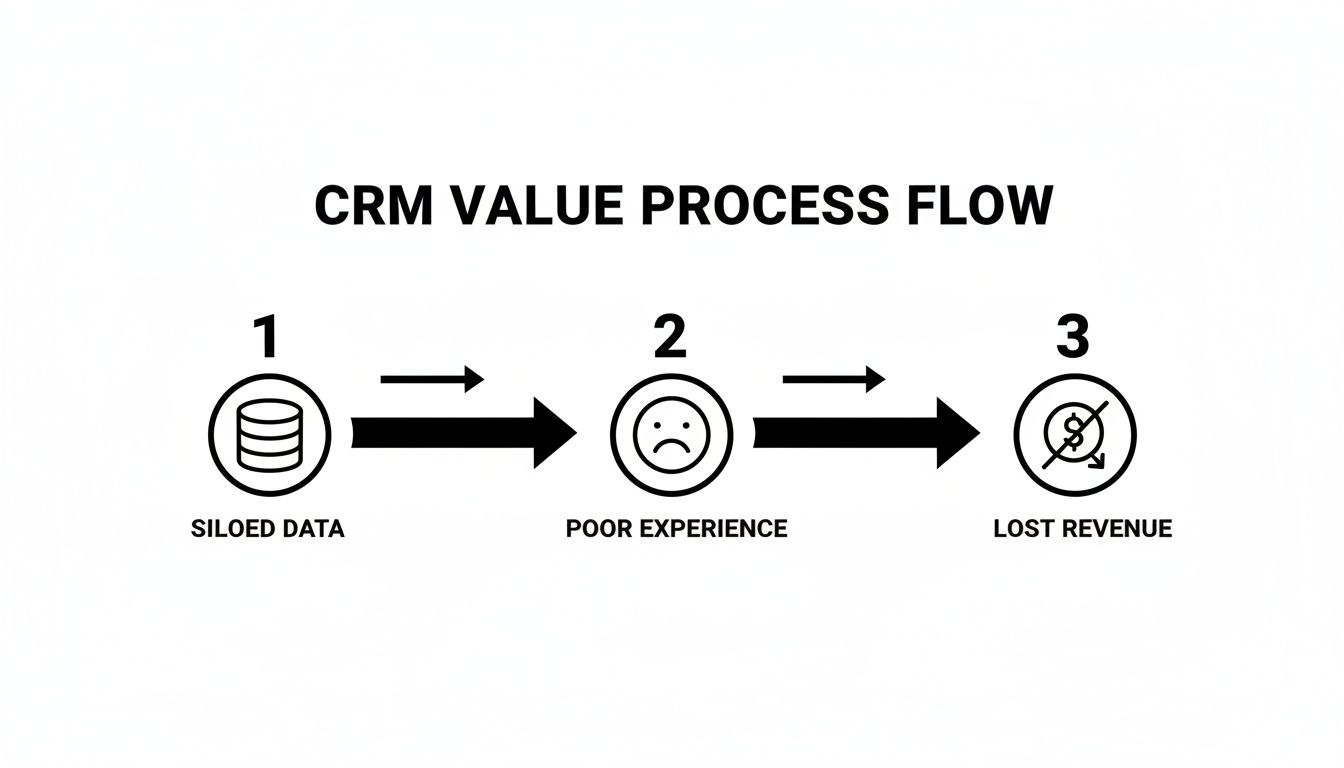
It’s a simple truth, really. When your data is siloed, your customer experience suffers, and that ultimately means lost revenue.
Uncover the Real Workflow Bottlenecks
Your team's daily habits are a goldmine for spotting the system's biggest weaknesses. Forget generic survey questions. Focus on specific actions and the pain they cause. Your goal here is to map out exactly where manual effort is making up for what the CRM lacks.
Try asking your sales and CS teams these direct questions:
- "Show me how you prep for a sales call." Watch closely. Do they have to jump between a spreadsheet, their inbox, and the CRM just to get a basic read on an account? That's a huge red flag.
- "Walk me through how you hand off a new customer to the implementation team." This is where things often get messy. If the process relies on a flurry of Slack DMs or forwarded emails, it’s creating a jarring experience for your new customer right from the start.
- "What's the one task you do every day that feels like a total waste of your time?" This question is dynamite. It cuts right to the heart of the most painful, time-sucking administrative burdens.
These conversations give you the qualitative story behind the data. You aren't just collecting complaints; you're pinpointing the high-friction moments in your revenue process that are screaming for a fix.
Assess Your CRM Data Quality
While that user feedback is absolutely critical, you also have to get your hands dirty and look at the data itself. Bad data is a silent killer of productivity. It’s the root cause of unreliable forecasts, ineffective marketing campaigns, and a CRM that everyone on the team hates using.
This isn't just about ticking boxes. It's about checking the integrity of the information that drives every single decision your revenue team makes. A systematic data check gives you the hard evidence you need to justify making a change.
A CRM audit isn’t about pointing fingers. It’s a diagnostic tool that reveals how well your technology, processes, and people are aligned to serve the customer. The findings build the business case for change.
The growth in this space is just staggering. CRM adoption has exploded, with 91% of companies with 11 or more employees now using one. The market is set to grow from $91.43 billion in 2023 to over $262 billion by 2032, cementing its status as the top enterprise software out there. You can dig into more data on the huge shift to cloud-based CRM and its market impact. This rapid expansion makes it even more critical to make sure your system is actually working for you.
To get started, here is a practical checklist to guide your audit.
CRM Audit Checklist for B2B Teams
| Audit Area | Key Questions to Ask | Red Flags to Watch For |
|---|---|---|
| Data Completeness | Are key fields like phone number, industry, or "Next Step" consistently filled out? Are there deals without close dates or accounts without owners? | High percentage of blank required fields. "TBD" or "N/A" used as a placeholder. |
| Data Accuracy | Do contact titles and company info reflect reality? Are deal values realistic or just placeholders? How old is the average "Last Activity Date"? | Outdated contact information. Stagnant deals sitting in the pipeline for months. |
| Data Consistency | Is "California" entered as "CA," "Calif.," or "California"? Are job titles standardized (e.g., "VP of Sales" vs. "Sales VP")? | Multiple formats for the same data point. Inconsistent use of dropdown values. |
| Workflow Friction | Where are reps using external tools (spreadsheets, notes apps) to manage their process? How many clicks does a common task take? | Reps exporting data to Excel to "manage their pipeline." Reliance on email/Slack for internal handoffs. |
| User Adoption | What percentage of the sales team logs in daily? Are key features (e.g., task management, logging calls) being used at all? | Low login rates. Key feature usage is concentrated among only a few "power users." |
This checklist isn't exhaustive, but it provides a solid framework for identifying the most common and damaging issues. By combining direct team feedback with a thorough data review like this, you create a complete diagnostic report. This foundation is what allows you to build a targeted plan for improving your customer relationship management, ensuring you focus your energy on the problems that will deliver the biggest impact.
Creating Workflows That Your Team Will Actually Use
Let's be honest. A fancy CRM without smart processes is just a very expensive address book. Once you've dug in and diagnosed the real issues during your audit, it's time to start building the solution. This is all about mapping your customer's journey from start to finish and nailing down the specific actions, handoffs, and data points needed at every turn.
The goal isn’t to create a bunch of rigid rules that slow everyone down. It’s about building a smooth, repeatable playbook. This removes the guesswork for your team and, more importantly, gives your customers a seamless, professional experience. Turning chaotic, one-off tasks into structured, efficient workflows is where the real magic happens.
Nail Down Your Deal Stages
One of the quickest ways for a B2B sales process to fall apart is with a poorly defined pipeline. When your deal stages are vague—think "Contacted" or "Meeting Set"—forecasting becomes a total shot in the dark. Reps start moving deals forward based on gut feelings, not on what the buyer has actually done.
Your deal stages need to mirror the customer's buying process, not just your internal sales activities. Every single stage must have clear, non-negotiable exit criteria. For example, before a deal can move from "Discovery" to "Solution Demo," what absolutely must have happened?
- Is the primary decision-maker identified and involved?
- Have you confirmed their budget range and timeline?
- Did the prospect explicitly agree to see a scheduled demo?
Getting a hard "yes" to questions like these means the deal is actually moving forward. This data-first approach gets rid of the ambiguity and transforms your pipeline into a reliable tool for predicting revenue.
Map Out the Critical Handoffs
In the B2B world, a single deal can touch a lot of hands. It might go from marketing to an SDR, then to an account executive (AE), and finally over to customer success. Each of these handoffs is a danger zone—a point where crucial information can get lost and the customer is forced to repeat themselves. It’s frustrating for everyone.
This is where a solid workflow saves the day. It creates a smooth transition by defining exactly what information needs to be captured and passed along at each step.
A great workflow doesn't just shuffle data around. It transfers ownership and context. It makes sure the next person has everything they need to pick up the conversation without missing a beat, making the customer feel like you actually know who they are.
Think about the handoff from an AE to the implementation team. This should be a formal step right inside the CRM. You could set up a trigger that creates a task for the AE to fill out a "Handoff Notes" field. In it, they'd summarize the customer's key goals, any technical needs, and promises made during the sale. This one simple action prevents that dreaded kickoff call question: "So, remind me what we're trying to do here?"
Put Lead and Order Management on Autopilot
Manually routing leads is a deal-killer. The faster you can get a fresh inbound lead to the right rep, the better your chances of closing it. In fact, a study from LeadSimple found that responding to a lead within five minutes makes you 21 times more likely to qualify them.
This is where automated routing rules become your best friend. You can build simple rules in your CRM to instantly assign leads based on things like:
- Territory: Sending leads from a specific state or country to the right rep.
- Company Size: Routing enterprise leads to your senior AEs and SMB leads to the commercial team.
- Product Interest: If a lead comes from a specific product page, send it directly to a specialist.
This kind of automation ensures no hot lead ever goes cold sitting in a queue. And it doesn't stop there. For instance, a well-structured CRM can streamline order management, automating things like invoicing and account setup after the deal is signed. These workflows cut down on manual errors and free up your team to focus on building relationships, not pushing paper. By baking these processes right into your CRM, you create a system that actively helps your team be more efficient and keep deals moving.
4. Give Reps Their Time Back with Automation and AI
Your best salespeople are closers and relationship builders, not data-entry clerks. Think about it—how much of their day is spent on the administrative grind? Logging calls, updating records, manually creating follow-up tasks. It's not just a time suck; it's a direct drain on your pipeline.
This is where a smartly configured CRM flips the script. By leaning on automation and artificial intelligence (AI), you stop treating your CRM as a digital filing cabinet and start turning it into a proactive assistant for your sales team. You give them back their most valuable asset: time to actually sell.

The idea is to build a system that works for your reps, not a system they have to work to maintain.
Low-Hanging Fruit: High-Impact Automations to Start With
You don't need a massive budget or a data science degree to get started. Some of the most powerful automations are surprisingly simple, connecting a specific trigger (an action) with a logical outcome (a follow-up).
Here are a few quick wins that deliver immediate value:
- Auto-Log Calls and Emails: This should be non-negotiable. Integrating your team's email and calendar is the bedrock of good CRM hygiene. Every conversation is automatically captured on the right contact record, building a perfect interaction history without anyone lifting a finger.
- Trigger Tasks Based on Deal Stage: When a rep moves a deal from "Discovery" to "Demo Scheduled," the CRM can instantly create a task reminding them to send a pre-demo prep email. This standardizes your process and ensures crucial steps never get missed.
- Automate Internal Notifications: A high-value deal gets marked "Closed-Won." Bam! An automatic notification hits a company-wide Slack channel. It’s a great way to celebrate wins in real-time and keep the entire organization looped in.
Deciding where to start can be tricky. It's best to prioritize automations that offer a big impact with relatively little setup effort. This gets your team some quick wins and builds momentum for more complex projects down the line.
High-Impact vs. Low-Effort CRM Automations
| Automation Type | Business Impact | Implementation Effort | Example Use Case |
|---|---|---|---|
| Email & Calendar Sync | High | Low | Automatically logs all Gmail/Outlook emails and Google/Office 365 calendar events to the correct contact record. |
| Task Creation from Stage Change | Medium | Low | When a deal moves to "Proposal Sent," a task is created for the deal owner to follow up in 7 days. |
| New Lead Assignment Rules | High | Low | Inbound leads from the website are automatically assigned to reps based on territory (e.g., zip code, state). |
| Welcome Email Sequence | Medium | Medium | A new contact added to a "Nurture" list automatically receives a 3-part email sequence over 10 days. |
| Predictive Lead Scoring | High | High | An AI model analyzes firmographic and behavioral data to assign a "hot," "warm," or "cold" score to new leads. |
| Data Enrichment | Medium | Medium | When a new company is created, a tool like Clearbit automatically pulls in industry, employee count, and revenue data. |
Start with the "High Impact, Low Effort" automations first. They’re the fastest way to prove the value of your CRM and get reps excited about what's possible.
Let AI Handle the Heavy Lifting
While simple automations are great for predictable, rule-based tasks, AI takes efficiency to a whole new level. It's the difference between setting a simple reminder and having a strategic co-pilot sitting next to you.
The CRM world is already being reshaped by AI. Over 70% of CRM systems are expected to pack AI capabilities by 2025. This isn’t just a trend; it's a seismic shift backed by real money. The global AI in CRM market is projected to rocket from $4.1 billion in 2023 to an eye-watering $48.4 billion by 2033. For customer-facing teams, the impact is clear—conversational AI is on track to cut agent labor costs by a massive $80 billion by 2026.
The real power of AI in a CRM isn't about replacing salespeople. It's about augmenting their abilities, freeing them to focus their human intelligence on strategy, negotiation, and building genuine rapport.
One of the most valuable applications is predictive lead scoring. Instead of reps wasting time chasing duds, an AI model analyzes your historical data to figure out what a "good" lead actually looks like. It scores new leads based on their likelihood to close, allowing your team to focus their energy where it counts. Our guide on how predictive sales AI works breaks this down even further.
AI assistants can also help reps draft hyper-personalized outreach in seconds. By scanning a prospect's LinkedIn profile and company news, these tools can suggest relevant talking points and craft a compelling opening line. It’s a game-changer for speeding up prospecting without sacrificing quality.
Making Your Team CRM Power Users
Here’s a hard truth: the fanciest, most expensive CRM on the market will collect digital dust if your team sees it as a chore. You can spend months on the tech setup, but the human side of the equation is where most CRM projects either fly or fail. The real work isn’t about configuring software; it’s about creating a team of CRM believers. Getting your people to actually use the system is the only way you'll see a real return on this investment.
The biggest hurdle isn't teaching people where to click. It's about changing deep-seated habits. You have to prove that the CRM is a tool that helps them close more deals, not just a glorified time-tracker for management. If your reps think the CRM is just Big Brother watching their every move, they'll find a million creative ways to work around it.
Answer the "What's in It for Me?" Question
Nobody has time for a generic, feature-dump training session. Your sales team doesn't care about every single bell and whistle. They care about hitting quota, earning commission, and spending less time on mind-numbing admin work. Your training has to speak directly to those motivations.
Instead of a boring tour of the interface, build your training around solving their biggest daily headaches.
- Show, Don't Just Tell: Don't just say, "Here's how you log an activity." Instead, show them how automatically syncing their calendar and emails saves them 30 minutes a day. That’s time they can use to make one more prospecting call or prep for a big demo.
- Zero in on High-Impact Workflows: Focus the initial training on the 3 to 5 most critical things they do every day. For a sales rep, that’s probably managing their pipeline, finding contact info in a pinch, and setting follow-up tasks. That's it.
- Use Their Real-World Deals: Run training exercises using actual accounts and opportunities from their live pipeline. This makes the whole thing feel immediately relevant and less like a theoretical test. They can see exactly how the CRM applies to the deals they're trying to close right now.
When you show a rep how a clean pipeline view helps them spot a stalled deal before it’s too late, the lightbulb goes on. The CRM stops being an obstacle and starts becoming their secret weapon.
Find and Fuel Your Internal Champions
You can't be everywhere at once, especially after launch. This is where a "CRM Champion" program can be a game-changer for building support from the ground up. These champions aren't always managers; they're often the go-to, tech-savvy reps on the team who others already trust for advice.
Pick one or two people per team who just get it. Give them some extra training, a sneak peek at new features, and a direct line to you with feedback.
Your internal champions become your first line of support for day-to-day questions. They can translate your strategic goals into peer-to-peer advice, which makes the whole initiative feel less like a top-down mandate and more like a team effort.
Giving these folks a little extra responsibility creates a powerful positive cycle. They feel valued, their teammates get quick help from someone they trust, and you get unfiltered, on-the-ground feedback about what's really happening.
Keep the Feedback Loop Open
A CRM isn’t a crockpot—you can't just set it and forget it. It's a living tool that has to grow and adapt with your team. The biggest mistake you can make is launching the system and then vanishing. You need a simple way to keep gathering feedback and, more importantly, to show your team you're listening.
This doesn't need to be complicated. A dedicated Slack channel (#crm-feedback) or a quick monthly "CRM roundtable" call can do the trick. The key is to actually act on the suggestions you get. When a rep complains that a workflow takes too many clicks and you push out a fix the next week, you build an incredible amount of trust.
This constant cycle of listening and improving proves the CRM is there to serve them. It shifts their perspective from being passive users to active partners, invested in making the system better for everyone. That sense of shared ownership is the ultimate sign of a successful rollout and the final step in turning your CRM from a database into a true growth engine.
6. Measure What Matters with Actionable Dashboards
You can build the most amazing CRM processes, but if you can’t prove they’re actually working, what's the point? This is where we connect all that hard work back to real business outcomes. It’s time to build dashboards that show the direct impact on revenue.
After all, you can't manage what you don't measure. A great dashboard turns your CRM from a simple database into a command center, giving everyone on the revenue team the insights they need to make smarter, faster decisions.
Go Beyond Vanity Metrics
It's tempting to get bogged down in data that looks good but doesn't mean much. Sure, you can track clicks, logged activities, and sent emails, but do those numbers tell you if you're closing more deals? Not really.
True success is measured by the KPIs that RevOps and sales leaders actually lose sleep over. These are the metrics that reveal the health and efficiency of your entire sales motion.
- Sales Cycle Length: How long, on average, does it take to get a deal from creation to close-won? If this number is shrinking, your team is getting more efficient.
- Pipeline Velocity: This is a fantastic metric that shows how fast deals are moving through your pipeline and how much they're worth. It's the pulse of your sales engine.
- Conversion Rates: What percentage of leads or opportunities make it from one stage to the next? This is how you find the bottlenecks where deals are getting stuck.
- Customer Lifetime Value (CLV): This KPI shows the total revenue you can expect from a single customer, painting a clear picture of satisfaction and long-term loyalty.
When you track these KPIs, you get an honest look at your performance and can finally prove the ROI of your CRM strategy.
Build Dashboards for the Role, Not the Company
One size never fits all, especially with data. The secret to getting people to actually use the data is to give them dashboards tailored to their specific job. What a sales leader needs to see is completely different from what a rep needs to manage their day.
For a sales rep, a dashboard is their personal command center for hitting quota. It should answer the question, "What do I need to do right now?"
Your team’s dashboards shouldn't just be a report card on the past. They should be a GPS for the future, showing your reps exactly where to focus their energy today to win deals tomorrow.
An executive, on the other hand, needs the 30,000-foot view. They aren't interested in individual tasks; they need to spot trends and see the big picture to make smart strategic bets.
A Tale of Two Dashboards
Let's get practical. Here’s what these different dashboards might actually look like.
The Sales Rep's "Daily Huddle" Dashboard:
- Today's Tasks: A clean list of their scheduled calls and follow-ups.
- Stalled Deals: A filter showing opportunities with no activity in the last 7 days.
- My Quota vs. Actual: A simple gauge chart showing their progress toward their monthly number.
The Executive's "Weekly Summary" Dashboard:
- Pipeline by Stage: A classic funnel chart showing the total value sitting in each sales stage.
- Team Win Rate: A single, powerful percentage showing the team's close rate this quarter.
- Sales Cycle by Rep: A bar chart comparing the average sales cycle for each person on the team.
By creating these focused views, you make your data relevant and immediately useful. Everyone, from the reps on the front lines to the execs in the boardroom, can see exactly how a well-oiled CRM fuels growth and impacts the bottom line.
Your Top CRM Improvement Questions, Answered
When you're staring down the barrel of a CRM improvement project, a lot of the same questions tend to pop up. Let's tackle them head-on so you can move forward with a clear, confident strategy.
How Long Until We Actually See Results?
You can get some surprisingly quick wins, often within the first 30-60 days. Things like setting up simple automations—auto-logging emails or creating follow-up tasks when a deal moves to a new stage—can give your team back precious time almost immediately.
But let's be realistic. The big, game-changing results you're really after, like a jump in win rates or a shorter sales cycle, don't happen overnight. Those outcomes depend on everyone using the system consistently and building up a foundation of clean data. You'll typically start to see that kind of meaningful impact in about six months to a year.
What's the Biggest Mistake We Could Make?
Easy. Focusing only on the technology while completely forgetting about the people who have to use it every day. You can buy the fanciest, most powerful CRM on the market, but if your team sees it as just another box to check or if your sales process is a mess, it's destined to fail.
The secret to a successful CRM project is that it's only about 10% technology. The other 90% is all about strategy, process, and getting your people on board. If you can't build workflows that genuinely make a sales rep's life easier, you’ll never see a return on that software investment.
What Should We Actually Budget for This?
This is where a lot of companies get tripped up. It's not just about the software license fee. A smart rule of thumb is to take your first-year software cost and budget an additional 50-100% on top of that.
That extra buffer is for the critical stuff: implementation help, proper team training, and connecting your CRM to other essential tools. Skimping on adoption and support is the fastest way to make sure your shiny new CRM project falls flat.